EliteHUD review 2026: HUD & hand converter for mobile poker apps
Import club-app hands into your tracker
EliteHUD captures hands from supported mobile poker apps and converts them for tracking software such as PokerTracker 4, Holdem Manager 2 or 3, Hand2Note and PokeIt.
Use it to save hand histories and review Hold’em or Omaha sessions from apps your tracker cannot read directly. Start with your poker app, game format and tracker version. A converter that supports the right app can still be the wrong purchase if your room prohibits the way you intend to use it.
If you sign up and purchase EliteHUD through our affiliate link, you will receive setup assistance and direct support from our team.
This review is based on the developer’s published documentation and poker-platform policies checked on 18 October 2026. It is not a hands-on performance benchmark.
EliteHUD at a glance
One subscription system with separate app modules and support for widely used poker trackers.
Software type
Hand grabber and hand-history converter
Trackers
HM2, HM3, PokerTracker 4, Hand2Note and PokeIt
Formats
Hold’em, Omaha, PLO5/PLO6 and selected MTTs
Access
Windows clients and supported Android emulators
How EliteHUD works
Desktop trackers usually read a room’s hand histories directly. Many mobile and private-club apps use a different format or do not provide files a tracker can import. EliteHUD converts those hands into a format a compatible tracker can read.
How hands reach your tracker: Poker app → EliteHUD → converted hand history → PokerTracker 4, HM3, Hand2Note or PokeIt.
Once the hands reach your tracker, use that tracker’s reports and filters to review sessions. Hold’em players might examine position, VPIP, PFR, 3-bet frequency or continuation betting. Omaha players might separate game variants, stack depths and multiway pots. The reports available depend on the tracker and the information that was actually recorded.
EliteHUD is not a standalone tracker. It lets your existing tracker import hands from apps it would not otherwise support.
That distinction matters when budgeting. You need a working tracker setup as well as the appropriate EliteHUD module. A subscription cannot create missing historical hands, repair an incomplete session automatically or turn a small sample into reliable evidence about an opponent.
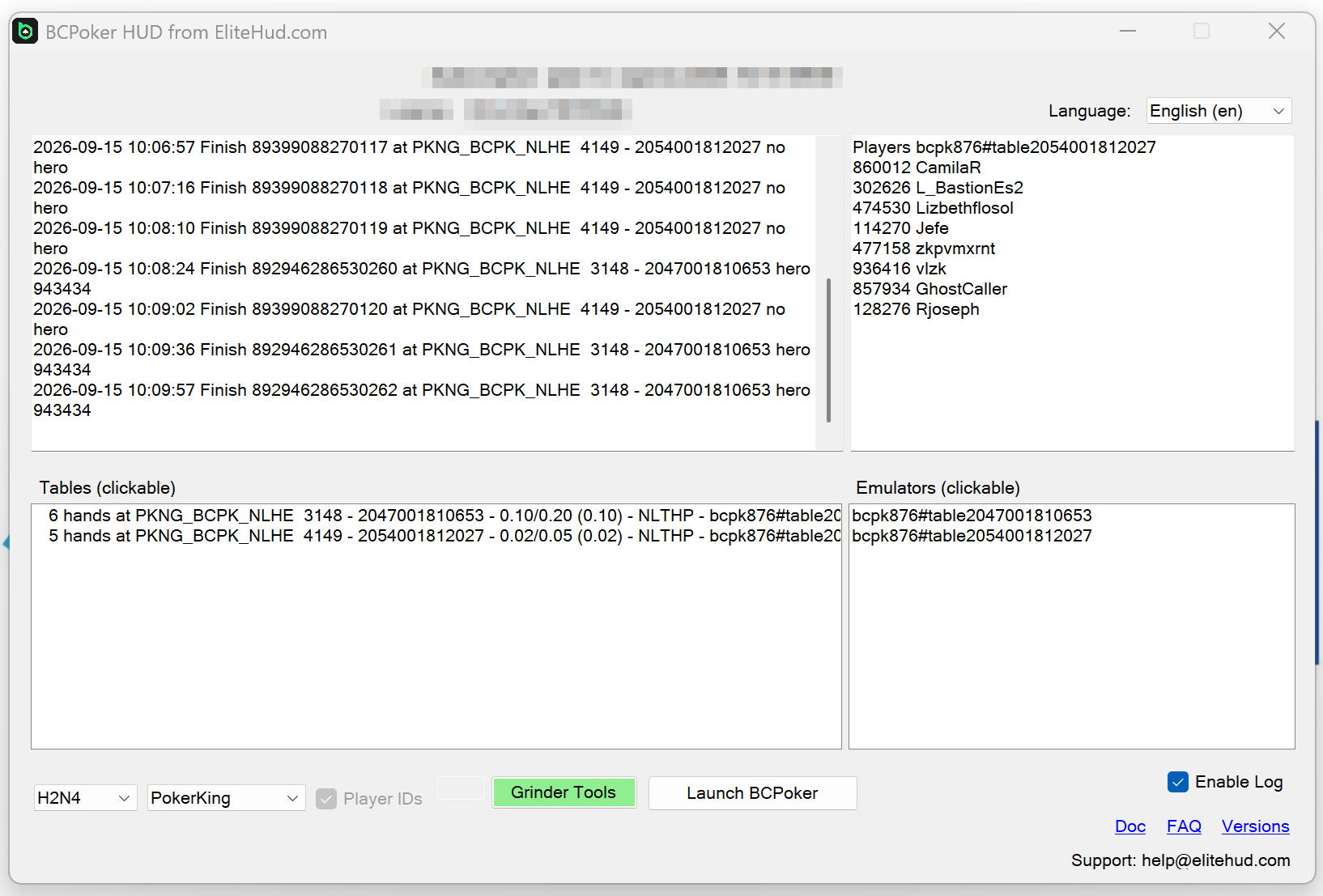
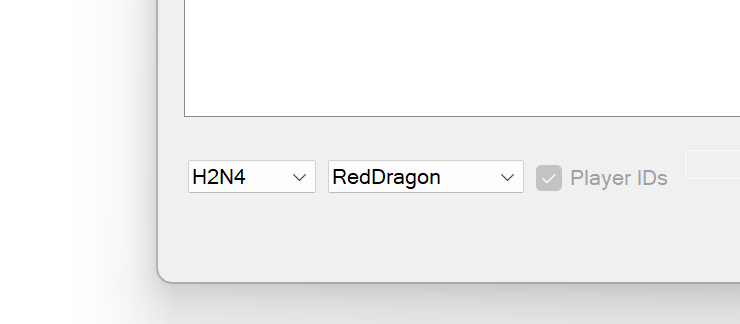
The official screenshots below show two separate EliteHUD modules. BCPoker and Red Dragon are examples of the converter interface; their controls and tracker mappings should not be assumed to apply to every poker app.

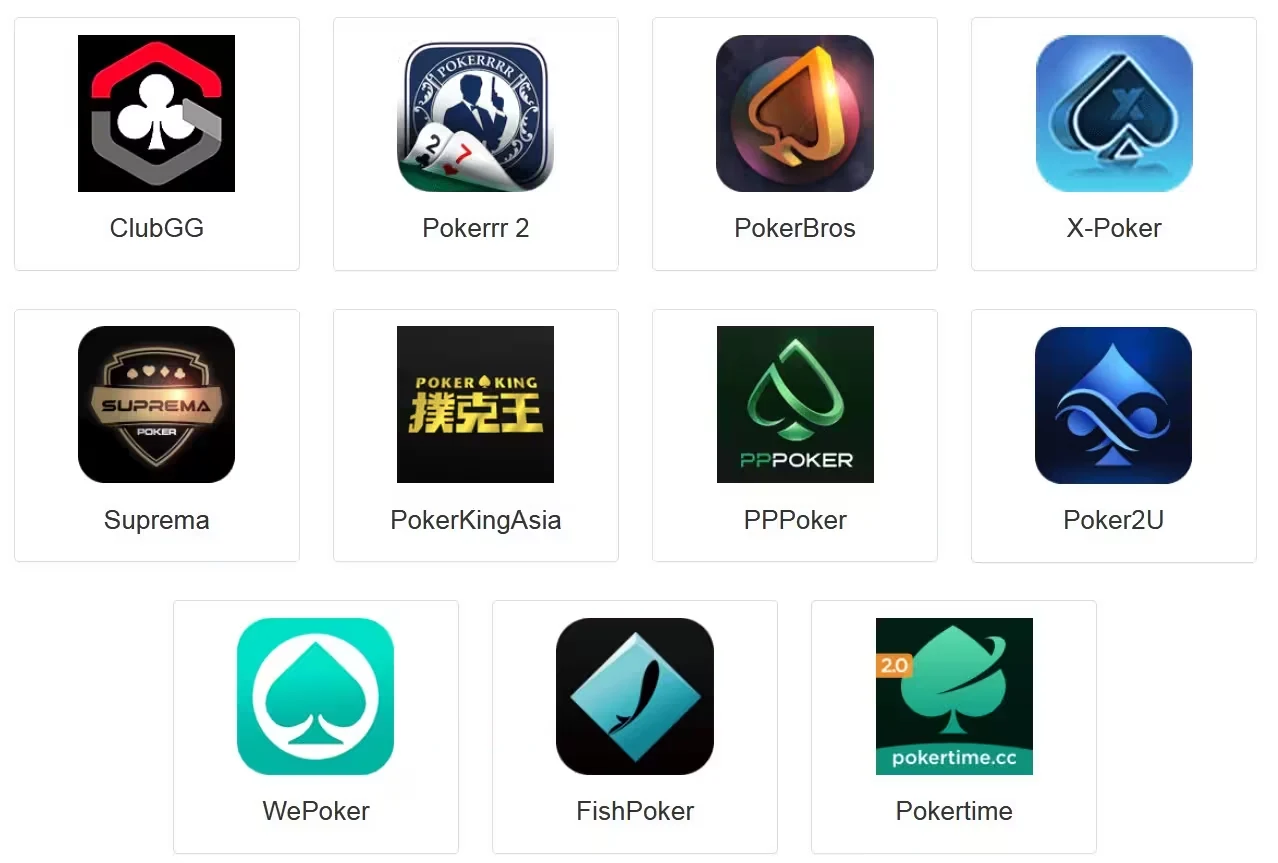
Who should consider EliteHUD?
EliteHUD makes the most sense when you have a specific import problem. You already use a tracker, you play a supported app, and the app’s permitted hand-history workflow does not feed your database directly. In that situation, a converter can make your existing study routine practical without asking you to rebuild it around another tracking program.
For example, a player who studies both Hold’em and Omaha needs more than a familiar app name in a compatibility list. The game variant must be supported by the converter and by the destination tracker. A tournament player needs the same check for tournament hands and results. Decide what you need to review before comparing subscriptions.
If your tracker already imports the room’s permitted hand histories correctly, first establish what an extra converter would add. If you only play on a phone and have no desktop study setup, check the complete device requirements before buying. The public materials reviewed here do not establish a native macOS or iPhone workflow for EliteHUD.
Skip the purchase if the room prohibits the intended use. Also avoid buying a long subscription merely because the monthly equivalent is lower. A short trial with the exact app and tracker you use will tell you more than a broad list of supported platforms.
Compatibility with apps covered by HotPokerDeals
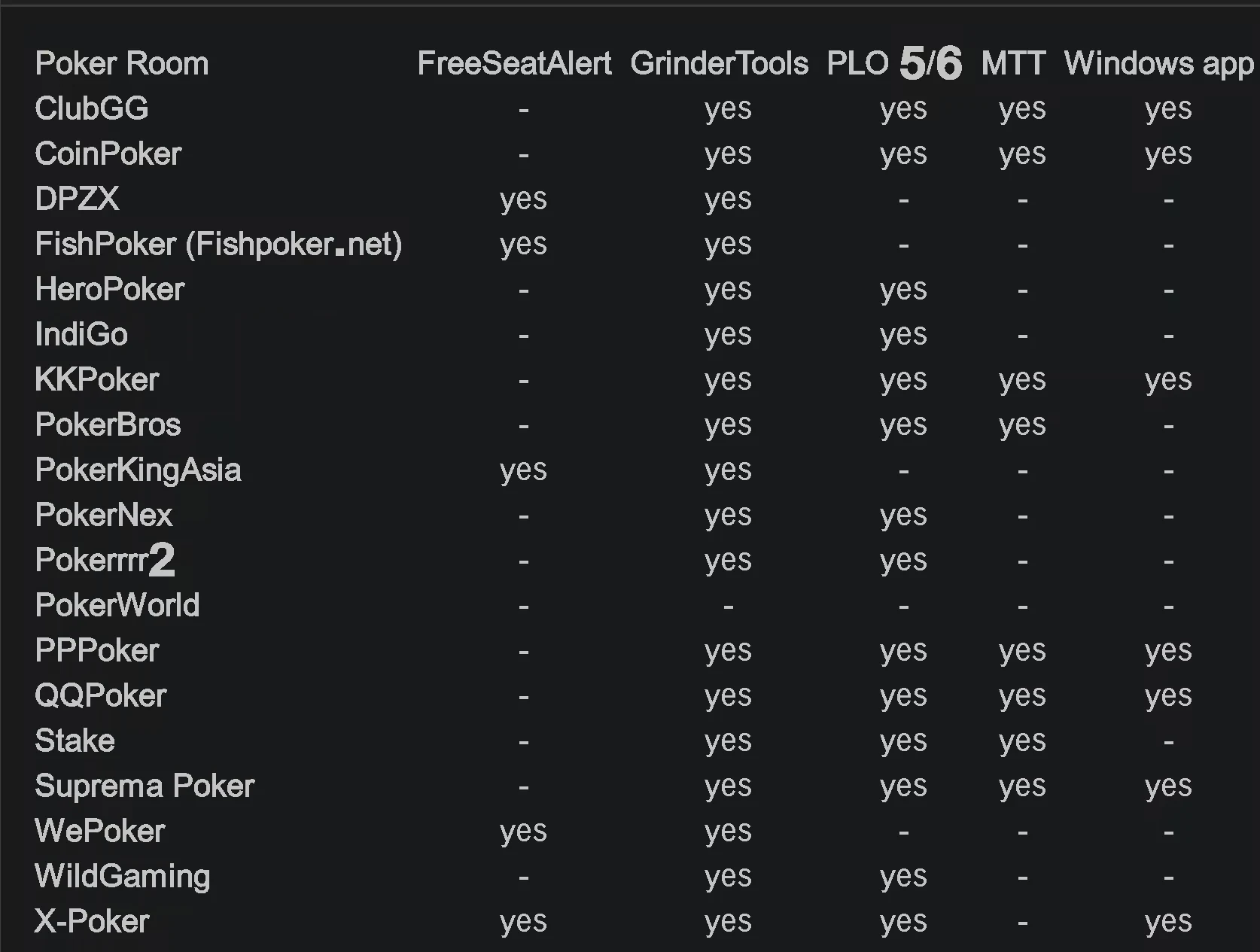
EliteHUD’s official table lists each feature separately. Hand conversion, PLO5/6, tournaments, Windows clients, emulators and Player ID support can differ by app. The snapshot below covers the six club apps linked from this guide; it is not the developer’s complete room list.
| Platform | GrinderTools | PLO5/6 | MTT | Windows app | Player ID | LDPlayer 9 |
|---|---|---|---|---|---|---|
| ClubGG | Yes | Yes | Yes | Yes | Yes | — |
| PokerBROS | Yes | Yes | Yes | — | Yes | Yes |
| PPPoker | Yes | Yes | Yes | Yes | Yes | Yes |
| Suprema Poker | Yes | Yes | Yes | Yes | Yes | Yes |
| X-Poker | Yes | Yes | — | Yes | Yes | Yes |
| QQPoker / QQPK | Yes | Yes | Yes | Yes | Yes | Yes |
Compatibility limits: A Yes entry means EliteHUD lists that feature as supported. A dash means it is not marked in that table, rather than a promise that it can never work. Neither entry establishes the poker platform’s permission to use a HUD, overlay, converter or tracker.
App compatibility and software rules
Modules, supported devices and software rules vary by app. Check each before installing.
01 · Club app
01
ClubGG
EliteHUD lists ClubGG support for GrinderTools, PLO5/6, MTT, Windows and Player ID. LDPlayer 9 is not marked in the current table. Check the supported client rather than copying an emulator setup from another app. ClubGG’s own terms determine whether your intended third-party software use is permitted.
02 · Club app
02
PokerBROS
PokerBROS is listed for GrinderTools, PLO5/6, MTT, Player ID and LDPlayer 9, but not a native Windows app. Its Safe & Fair Play rules restrict third-party tools that give unfair access to information about other players’ actions. Get a clear answer about your proposed setup before running it.
03 · Club app
03
PPPoker
EliteHUD lists Windows, emulator, MTT, PLO5/6, GrinderTools and Player ID support for PPPoker. Its guidance specifies the Windows client for multi-tabling, or one emulator instance per table. Choose a permitted setup you can test at your usual table count; one working table does not prove a larger session will run well.
04 · Club app
04
Suprema Poker
Suprema Poker is listed for Windows, LDPlayer 9, GrinderTools, PLO5/6, MTT and Player ID. Its Community Rules restrict unauthorized third-party software that collects information from the service. This affects the hand-collection stage, not only what appears on screen. Obtain the platform’s permission for the intended use.
05 · Club app
05
X-Poker
X-Poker is listed for GrinderTools, PLO5/6, Windows, Player ID and LDPlayer 9. It is also one of the apps associated with Free Seat Alert. MTT is not marked in the current EliteHUD table, so a cash-game setup is not evidence of tournament support. Confirm any tournament requirement separately.
06 · Club app
06
QQPoker / QQPK
QQPK is listed for GrinderTools, PLO5/6, MTT, Windows, Player ID and LDPlayer 9. Hand2Note users should use the database format specified in the current import instructions. Check that a sample hand appears under the intended player and game before adding a large session to an existing database.
Trackers, PLO and tournament study
EliteHUD supports Holdem Manager 2 and 3, PokerTracker 4, Hand2Note 3 and 4, and PokeIt. It is most useful if you already review hands regularly. It does not replace a database, coaching or consistent study.
Omaha support is a key use for EliteHUD. Its official table lists PLO5/6 for ClubGG, CoinPoker, PokerBROS, PPPoker, QQPoker, Suprema Poker and X-Poker. It also lists multi-table tournament support for several major apps, though not every app. Check your app’s row before subscribing.
For Hand2Note users, the current FAQ notes H2N API support. QQPoker hands use the PokerKingdom database format, while IndiGo and WildGaming use PKDOM. Follow the current setup instructions.
Treat the converter and the tracker as two separate compatibility checks. A PLO5/6 tick beside an app does not tell you which reports your tracker can build for that format. Test a real hand from the variant you need and inspect the cards, betting actions and final pot in the replayer.
Keep unlike games separate when studying. A combined result for Hold’em, four-card Omaha and six-card Omaha is a poor starting point for finding a recurring mistake. The same goes for cash games and tournaments. First check that the database identifies the format correctly, then use the tracker’s available filters.
For tournament review, inspect the entries and results as well as individual hands. Do not assume that importing betting actions also produces complete buy-in, finish-position and payout records. Compare a small completed event with your own records before relying on an overall results report.
Official tracker-selection examples: Hand2Note 4 and PokeIt

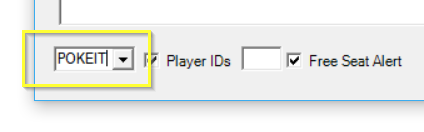
Emulators, multi-tabling and Free Seat Alert
01
Android emulators
EliteHUD documents LDPlayer 9, LDPlayer 4 and NoxPlayer Android 7. Exact compatibility depends on the poker app and its current release.
02
Table limits still apply
The converter does not impose its own table cap, according to EliteHUD. The app’s rules and table limits still apply. Practical capacity depends on your CPU, RAM, graphics hardware, emulator workload and tracker performance.
03
PPPoker Windows setup
PPPoker multi-tabling is listed for its Windows client. With an emulator, EliteHUD’s current guidance calls for one emulator instance per table.
04
Seat alerts
Free Seat Alert is listed for selected platforms including X-Poker, WePoker, FishPoker, HHPoker, PokerKingAsia and DPZX.
Check whether the room permits seat-alert or table-selection tools. The feature name alone does not establish permission or the price of the required subscription.
Historical QQPoker module example: account-manager controls (2025)

Plans, pricing and the free trial
One EliteHUD account can access multiple products, depending on the subscription plan. These are the US-dollar prices listed in the official FAQ when checked on 18 October 2026. Confirm the plan, term and checkout total in your dashboard before paying.
| Plan | 1 month | 3 months | 6 months | Best fit |
|---|---|---|---|---|
| Plan A | $29 | $78 | $139 | Selected lower-stakes Asian apps; check the app and stake limit |
| Plan E | $39 | $105 | $187 | All stakes on the six club apps in this guide, plus Plan A coverage |
| Plan B | $49 | $132 | $235 | All stakes across the listed apps except IndiGo and WildGaming |
| Plan G | $99 | $267 | $475 | All listed apps and stakes, including IndiGo and WildGaming |
EliteHUD advertises a free trial so you can test it with your setup. Ask HotPokerDeals for the current duration and conditions.
Choose coverage before duration
Plan A is the cheapest option, but it is not a lower-priced version of every app module. The listed limit is 2/4/8 CNY small blind/big blind/straddle and below for DPZX, HHPoker, PokerKingAsia and PokerWorld. For the six club apps compared above, Plan E is the relevant starting point in the published table.
At the listed prices, Plan E costs $117 for three separate one-month periods, compared with $105 for three months upfront. Six separate months cost $234, compared with $187 upfront. Those savings only help if the software remains useful to you for the full term. Leave room in the budget for any separate tracker license.
Trial, refund and device limits
Use the trial to prove the complete workflow before committing to several months. Ask when the trial starts, which module and stakes it covers, and whether you need support to activate it. The public homepage promises a trial but does not give a universal duration.
EliteHUD’s published terms provide a 50% refund for a change of mind within 14 days of purchase. They do not offer an unrestricted full-refund guarantee. If the software is not working, the terms direct users to support and mention a possible subscription extension. Read the current conditions before paying.
The same license can be used on different computers, but the terms prohibit using the same token simultaneously on different devices. If you alternate between a desktop and a laptop, close the first setup before starting the other. Confirm your requirements with support if you need concurrent operation.
How to set up EliteHUD
01
Create an account
First confirm that the poker platform permits your intended use. Register on the official EliteHUD website, then find your license and account details in the dashboard.
02
Choose the app module
Download the EliteHUD component for your poker app and the device or emulator you plan to use.
03
Connect your tracker
Install HM3, PT4, Hand2Note or another supported tracker, then follow your app’s hand-import instructions.
04
Test before a full session
Use a short, permitted test session to check hand-history imports before relying on the database for regular study. Inspect the imported hands, not just the presence of a HUD.
Maintain compatibility: Keep the poker client, converter, tracker and emulator on supported versions. Repeat an import test after an app update.
Setup screenshots: choose the poker client and find the hand-history folder
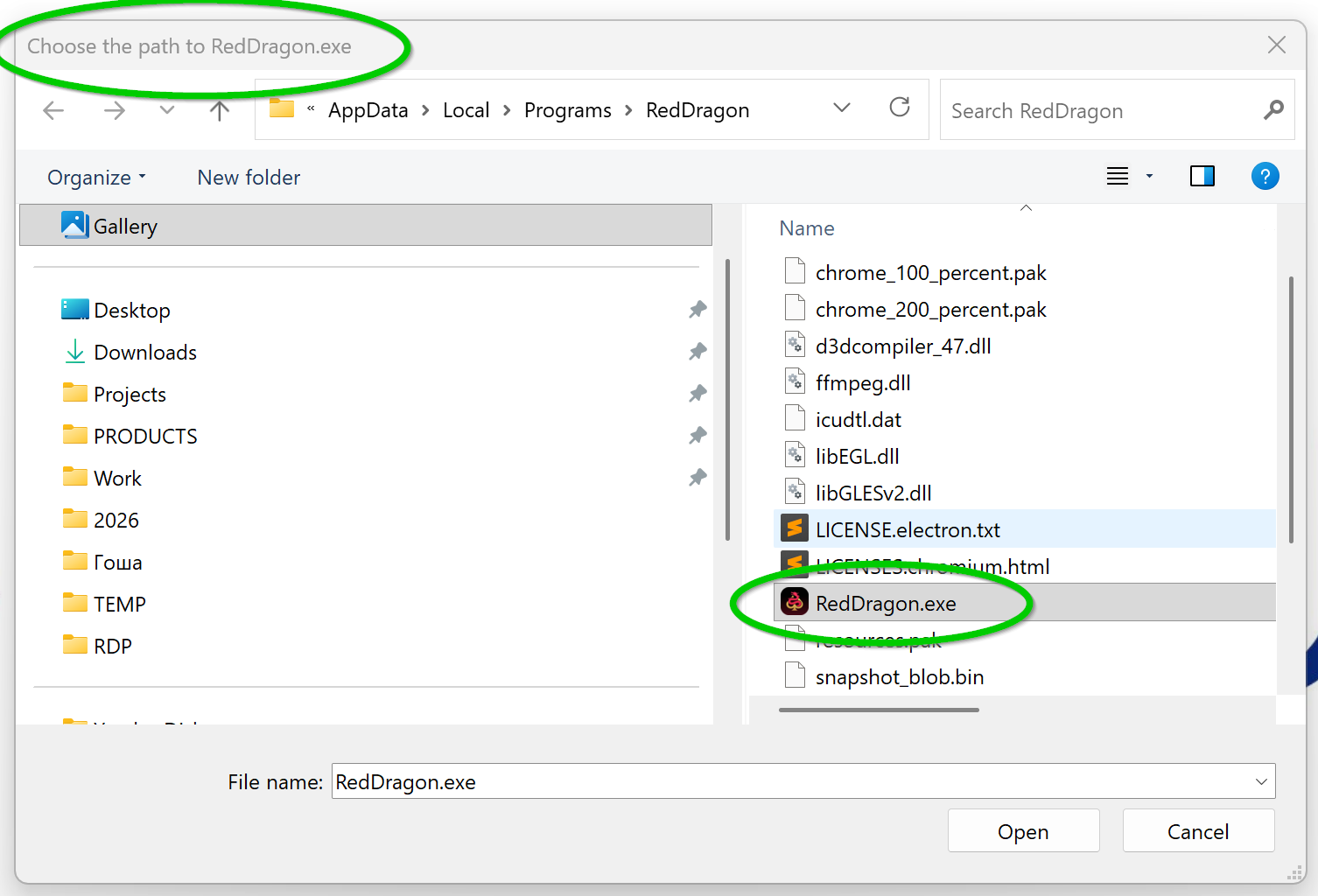
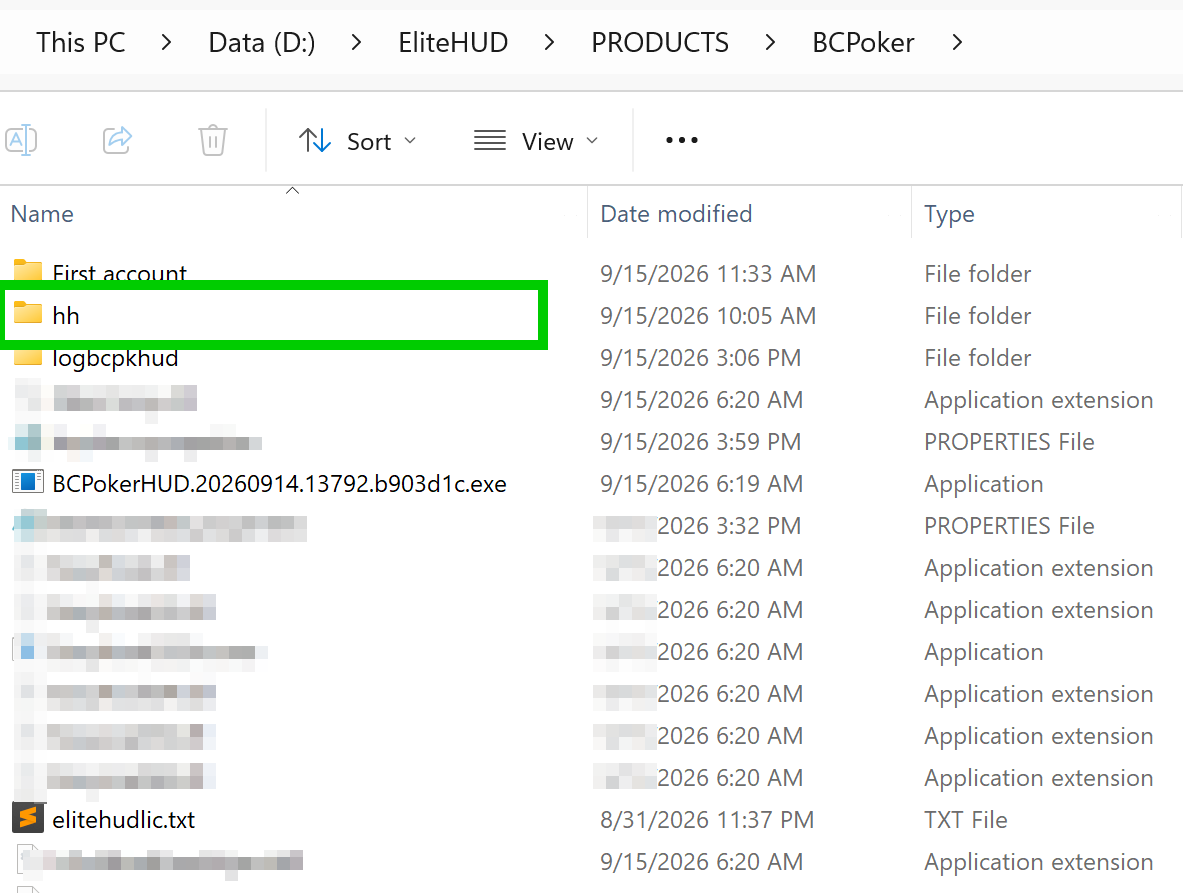
PokerTracker 4 setup illustrations from the official EliteHUD guide
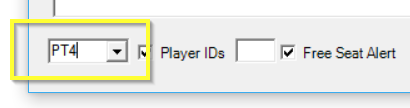

Holdem Manager 3 setup illustrations from the official EliteHUD guide
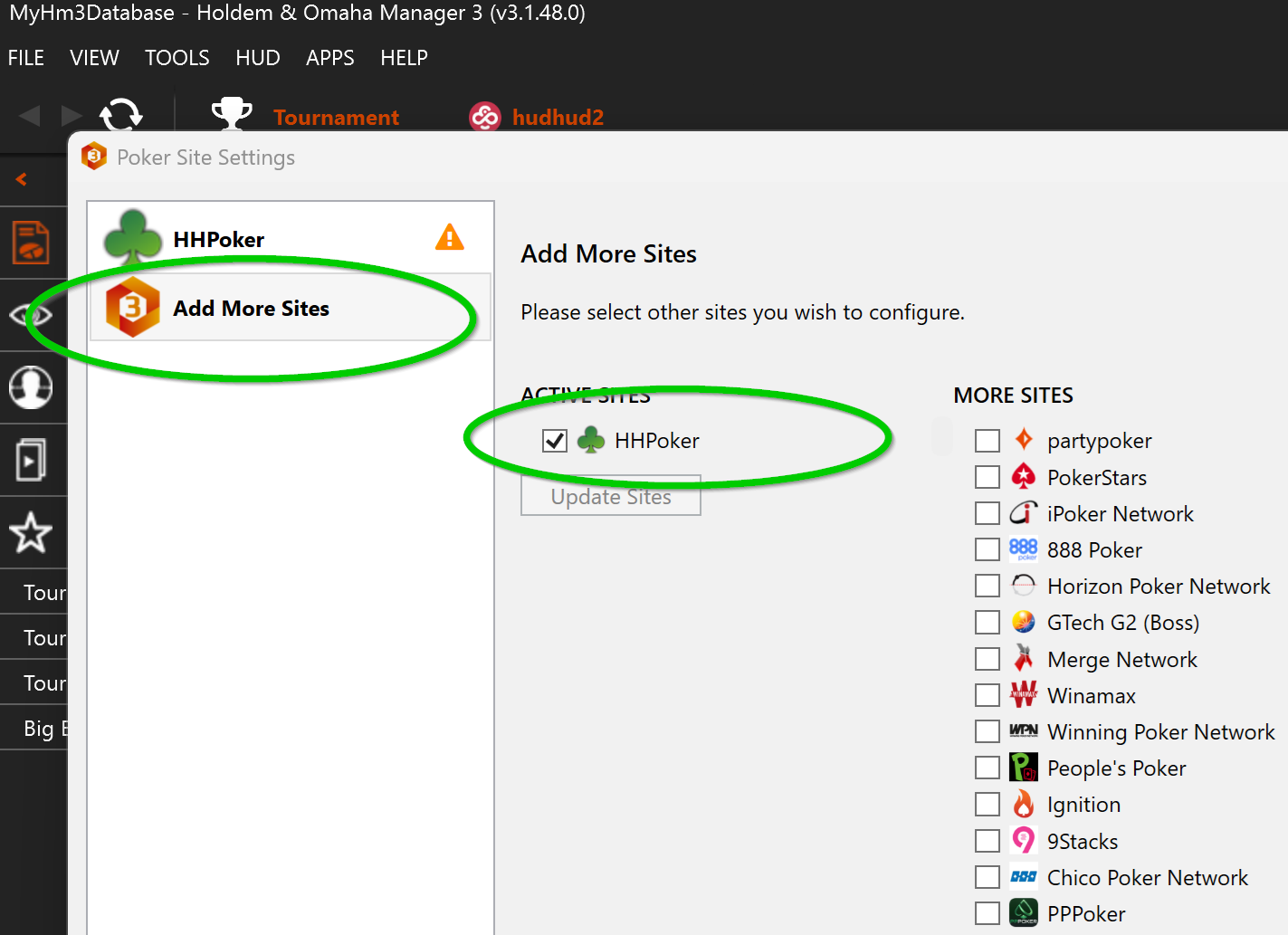

What to check during the trial
The useful question is whether your own hands arrive correctly in your own tracker. Keep the first test small enough to inspect. Record the app version, converter version, tracker version and whether you used the native client or an emulator. That gives you a working reference if a later update changes something.
Check a hand from start to finish
Open several imported hands in the tracker’s replayer. Compare the hero name, game type, number of hole cards, blinds, positions, betting sequence and final pot with the session you played. Where the app provides a hand record you are allowed to retain, use it as the reference. A plausible graph is not proof that the import is correct.
Check the session totals
Compare the hands you expected to record with the hands in the database. Look for gaps at the beginning or end of the session and after reconnecting. Check the session date, time zone and currency label. If the app uses chips or a non-USD unit, do not read the displayed figure as a dollar result without checking the conversion and the underlying records.
Check repeated imports and player identity
Before importing a large archive, confirm how your tracker handles a small batch that has already been imported. Keep a backup of the original files and database. Check that your own results stay attached to the correct player identity, especially if you have changed a nickname or use several supported apps. Do not combine accounts solely because their screen names look similar.
Check your normal workload
Once the single-table test is sound, test the number of tables you normally use, within the app’s limits. Watch for delayed imports, missing hands after table changes and unstable window positioning. Avoid changing the app, emulator and tracker settings at the same time; otherwise, a failed test gives you little clue about the cause.
Finish by closing the poker client and reviewing the session with the study tools the platform permits. Save a note of what passed and what still needs attention. If your intended game format or table count has not been tested, treat it as an open question rather than assuming a successful Hold’em test covers everything.
Legacy PokerTracker 4 illustration: start and inspect an import
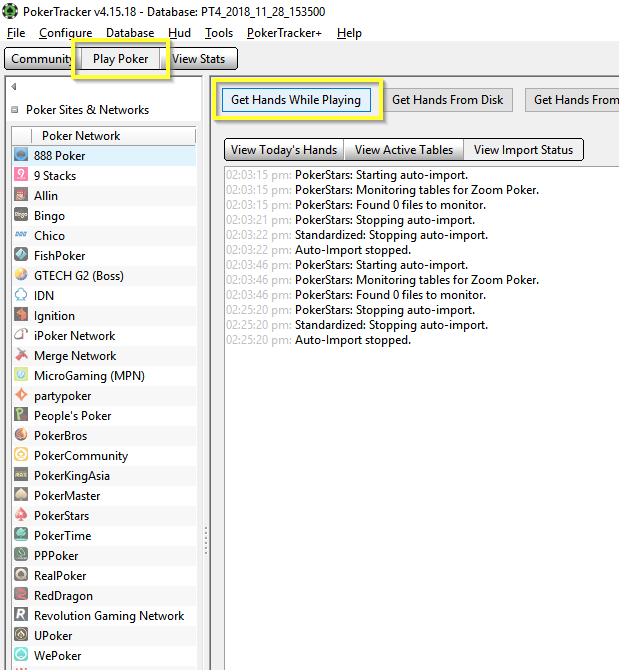
Troubleshooting imports and HUD positioning
Work out which stage failed before reinstalling anything. A module that does not start, a hand that does not reach the database and a HUD in the wrong seat are different problems. Start with a short reproducible example and change one thing at a time.
The converter cannot validate the license
Check that you are using the current token from your own dashboard and that the subscription covers the selected module. Close any copy still running on another computer. If an error points to connectivity, record its exact wording and contact official support. Do not post your token, password or account details in public screenshots.
Hands are missing from the tracker
Check whether the converter recognized the app and whether the tracker received any new hands from the test. Recheck the current module guide, the selected tracker and the intended import destination. If the failure began after an app update, look for a corresponding converter update before altering an otherwise working database.
Keep the original hand files and a database backup while investigating. Do not repeatedly import a full archive, delete the database or merge player profiles in the hope that the numbers will repair themselves. A few affected hands and a clear description of the missing period are much easier to diagnose.
The HUD is beside the wrong player
Where a live HUD is permitted, first compare the app’s seat arrangement with the tracker’s preferred-seat settings. Verify the displayed statistics against the correct player before relying on them. EliteHUD’s FAQ directs HUD-positioning questions to the tracker’s own documentation, so use the guide for the tracker and version actually installed.
A security program flags the download
Stop and check the file’s origin. Use the current download supplied through the official EliteHUD account rather than a reposted installer or a chat attachment from an unknown account. Ask support to explain a warning. Do not switch off security protection across the whole computer as a routine installation step.
What to send support
Give support the poker app, game format, operating system, tracker version, converter version and the time the problem began. Describe the expected result and what happened instead. Include the exact error text and a cropped screenshot with private information removed. Share account or license information only through a verified private support route when it is genuinely needed.
Legacy Holdem Manager 2 illustrations: automatic and manual import-folder setup
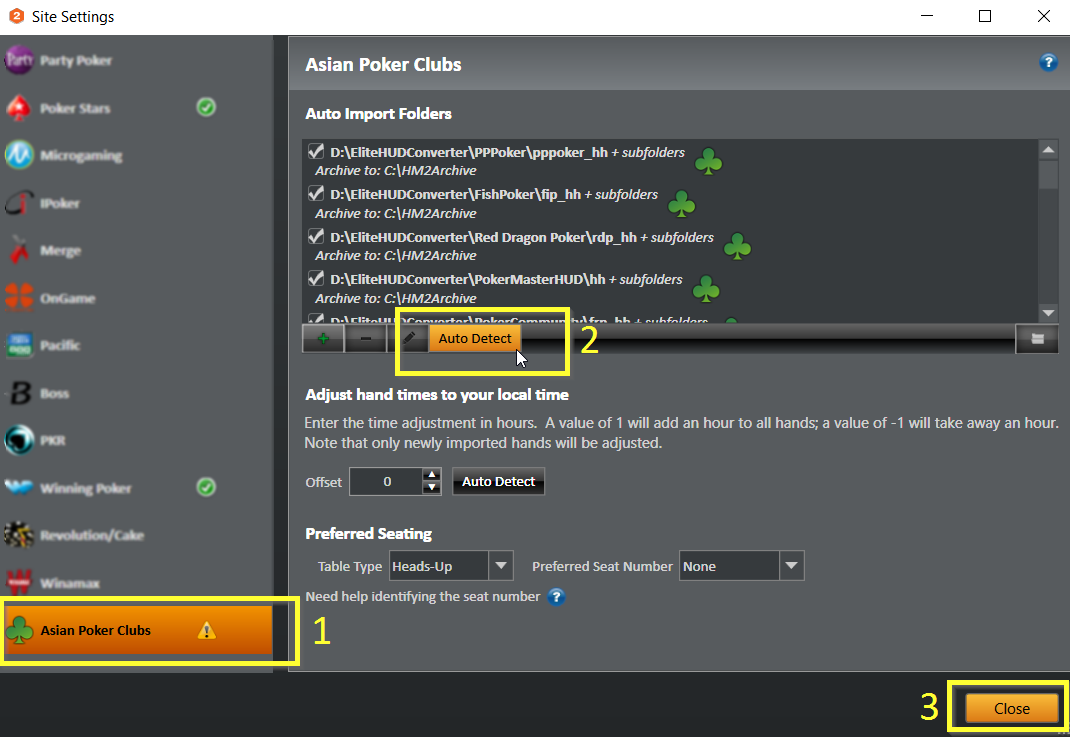

Pros and limitations
Why players use it
- Broad coverage across mobile poker apps
- Works with HM2, HM3, PokerTracker 4 and Hand2Note
- PLO5/PLO6 support listed for core platforms
- Windows clients and emulators for selected apps
- One subscription can cover several poker platforms
- Free trial available through the official service
What to keep in mind
- It is not a poker tracker by itself
- Features vary by platform, plan and device
- Emulator setups can use significant PC resources
- MTT and Free Seat Alert support is not universal
- App updates can temporarily affect compatibility
- Technical compatibility does not mean live HUDs are permitted
Check the poker app’s software rules
EliteHUD’s compatibility table describes what its modules can process. The poker platform decides which uses are allowed. CoinPoker’s current policy prohibits third-party HUDs, tracking software and statistical overlays in connection with gameplay. Its own integrated tools are a separate case. A CoinPoker converter listing or release note does not override that policy.
PokerBROS prohibits third-party tools that provide an unfair informational advantage. Suprema’s Community Rules also restrict unauthorized collection of information from its service. Turning off an overlay does not necessarily resolve a restriction on the converter or collection method itself.
During play vs. after a session: Analyzing hands after a session may be subject to different rules from displaying real-time information about opponents during a game.
Ask the platform about the exact activity: recording your own hands, importing them after play, displaying live statistics, or using seat alerts. Do not treat approval for one activity as approval for the others. Nor should a club host’s informal assurance replace the app operator’s published rules.
An emulator, VPN or alternate database label does not make prohibited software use acceptable. If the platform’s answer is unclear, leave the tool closed and resolve the question before playing. The cost of an unsuitable subscription is easier to limit than an avoidable account dispute.
EliteHUD compared with Asian Hand Converter, Hand2Note 4 and PokerTracker 4
EliteHUD next to the other ways club-app hands reach a tracker. Two are converters, one is a tracker that reads some apps directly, and one is a tracker that needs a converter.
| Tool | Price | Runs on | Best for | Check first |
|---|---|---|---|---|
| EliteHUD | Plan A $29, Plan G $99 a month | Windows clients and supported emulators | Hand conversion for ClubGG, PokerBROS, PPPoker, Suprema, X-Poker and QQPK | Not a tracker; you still need HM3, PT4 or Hand2Note |
| Asian Hand Converter | From $21.50 a month, 7-day trial | Windows PC and Android emulators | 13 Asian apps for DriveHUD, HM, PT and Hand2Note | With DriveHUD 3 use the built-in version, not the stand-alone one |
| Hand2Note 4 | Learner $15.99, Pro $39 a month, paid yearly | Windows and Mac; emulator apps on Windows | Dynamic HUD, Action Profit, ClubGG HUD with no converter | Learner stops at a $0.25 big blind and 200k hands |
| PokerTracker 4 | From $64.99 once, 14-day trial | Windows and Mac | LeakTracker, NoteTracker and ICM tools in one database | Small Stakes stops at $0.25/$0.50 and $22 buy-ins |
EliteHUD and the Asian Hand Converter solve the same problem, so compare them on your app, your tracker and the monthly price for your stakes. Plan A at $29 is cheap but limited to selected lower-stakes apps; Plan E covers all stakes on the six club apps HPD lists. If you have not bought a tracker yet, Hand2Note may save you the converter on ClubGG and emulator apps.
Trackers EliteHUD feeds: PokerTracker 4, Holdem Manager 3, Hand2Note. App rules: ClubGG, Suprema Poker, QQPK.
EliteHUD FAQ
Is EliteHUD a poker tracker?
No. EliteHUD captures and converts supported hand histories so another tracker can import and analyze them.
Does EliteHUD support ClubGG, PokerBROS and PPPoker?
Yes. The official compatibility table lists all three, along with Suprema Poker, X-Poker and QQPoker. Features and supported devices vary by app.
Does EliteHUD support HM3, PT4 and Hand2Note 4?
Yes. EliteHUD lists compatibility with HM2, HM3, PokerTracker 4, Hand2Note 3, Hand2Note 4 and PokeIt.
Does EliteHUD support PLO5 and PLO6?
Yes. EliteHUD lists PLO5/6 support for many apps, including the main HotPokerDeals club platforms. Check the table for your specific app module.
Can I use a HUD while playing?
Only if the poker platform’s current rules permit that tool and how you intend to use it. EliteHUD’s compatibility listing does not authorize live HUD use.
Is there a free trial?
EliteHUD advertises a free trial. Ask HotPokerDeals for the current duration and terms before starting.
Do I need a separate tracker license?
EliteHUD provides the converter. Check the license and game-format requirements of the tracker you plan to use. Include any tracker cost when comparing your total setup cost.
Will it recover hands from sessions I did not record?
Do not assume it will. Establish which hand records are available and what the current module can import. Test the supported workflow before a session you want to review.
Does support for an app mean every game works?
No. Match the app, client or emulator, game variant and tracker version. A working cash Hold’em import does not establish support for PLO5, PLO6, Short Deck or tournaments.
EliteHUD or Asian Hand Converter: which should I buy?
Start with your tracker and app. The Asian Hand Converter is built into DriveHUD 3 Ultimate+ and also works with HM, PokerTracker and Hand2Note. EliteHUD works with HM2, HM3, PokerTracker 4, Hand2Note and PokeIt, with plans from $29 a month.
Is EliteHUD right for your setup?
Start with the app you play and the hands you want to study. Confirm the platform permits the workflow, choose the matching module and plan, then use the trial to inspect the results in your tracker. If those checks pass, EliteHUD can fill a specific gap in your study setup. If they do not, buying a longer subscription will not fix the mismatch.
Use third-party software only where the poker app or poker room permits it. You are fully responsible for its use. HotPokerDeals strongly encourages players to follow the apps’ and rooms’ terms and software policies.