
EliteHUD Review 2026 – HUD & Hand Converter for Mobile Poker Apps
MOBILE POKER SOFTWARE · HAND TRACKING · SOFTWARE RULES
Import club-app hands into your tracker
EliteHUD captures hands from supported mobile poker apps and converts them for tracking software such as PokerTracker 4, Holdem Manager 2 or 3, Hand2Note and PokeIt.
Use it to save hand histories, review sessions, and study Hold’em or Omaha hands from apps your tracker cannot read directly. Compatibility does not mean every feature is permitted during play: the poker app’s current rules take priority.
If you sign up and purchase EliteHUD through our affiliate link, you will receive setup assistance and direct support from our team.
EliteHUD at a glance
One subscription system with separate app modules and support for widely used poker trackers.
Software type
Hand grabber and hand-history converter
Trackers
HM2, HM3, PokerTracker 4, Hand2Note and PokeIt
Formats
Hold’em, Omaha, PLO5/PLO6 and selected MTTs
Access
Windows clients and supported Android emulators
How EliteHUD works
Desktop trackers usually read a room’s hand histories directly. Many mobile and private-club apps use a different format or do not provide files a tracker can import. EliteHUD converts those hands into a format a compatible tracker can read.
How hands reach your tracker: Poker app → EliteHUD → converted hand history → PokerTracker 4, HM3, Hand2Note or PokeIt.
After importing hands, you can save sessions, filter situations, compare stakes and identify recurring mistakes. Hold’em players can study position, VPIP, PFR, 3-bet frequency, continuation betting and showdown results. Omaha players can examine hand types, multiway pots and results by format or stakes.
EliteHUD is not a standalone tracker. It lets your existing tracker import hands from apps it would not otherwise support.
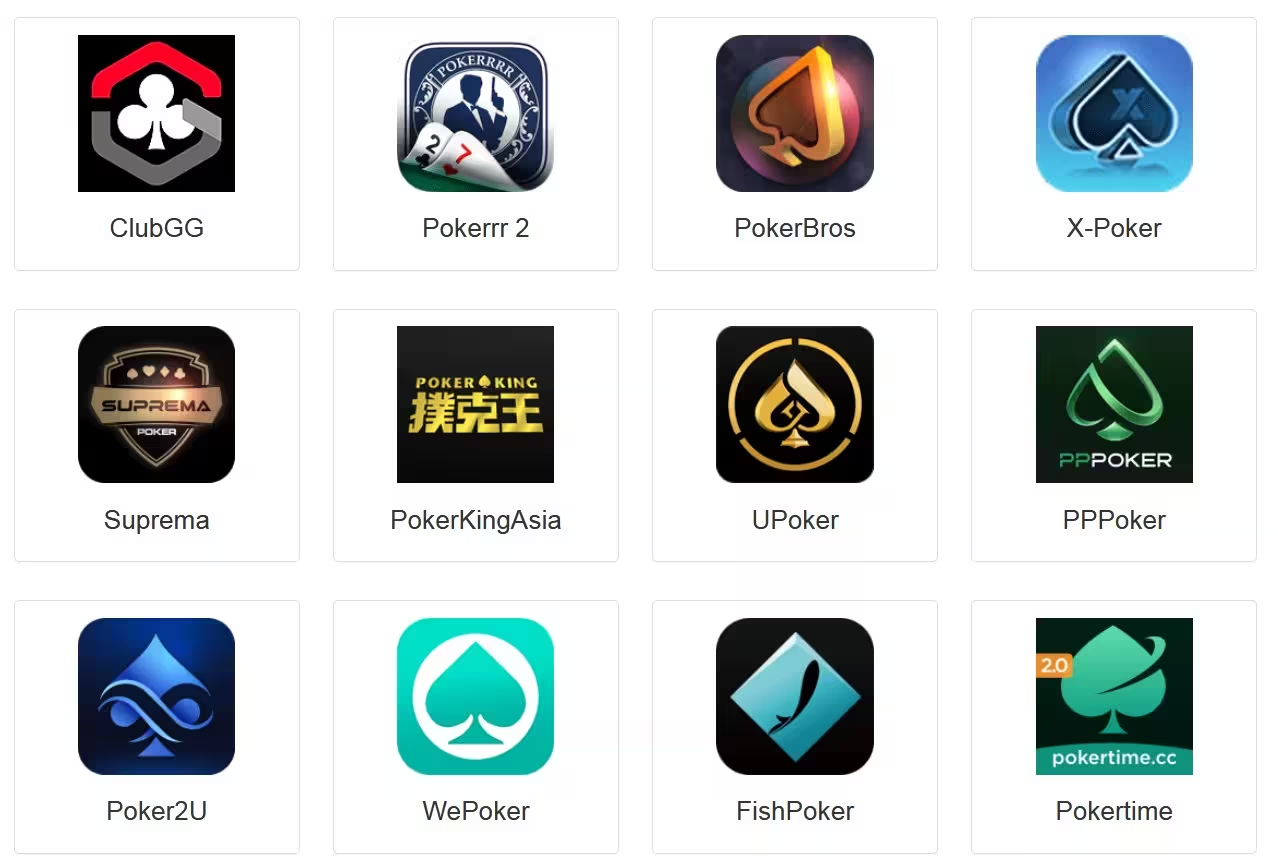
Compatibility with apps covered by HotPokerDeals
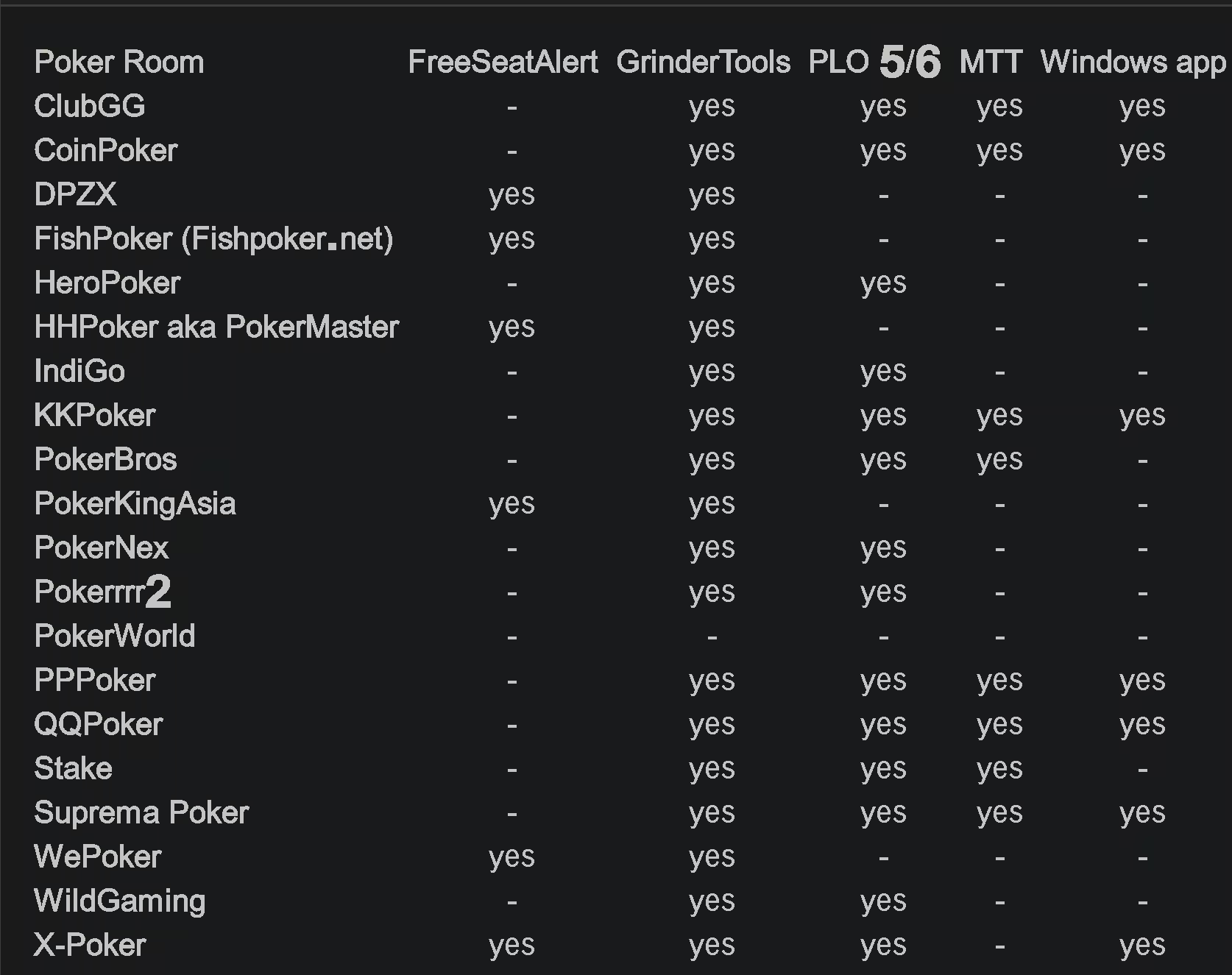
EliteHUD’s official table lists each feature separately. Hand conversion, PLO5/6, tournaments, Windows clients, emulators and Player ID support can differ by app.
| Platform | GrinderTools | PLO5/6 | MTT | Windows app | Player ID | LDPlayer 9 |
|---|---|---|---|---|---|---|
| ClubGG | Yes | Yes | Yes | Yes | Yes | — |
| PokerBROS | Yes | Yes | Yes | — | Yes | Yes |
| PPPoker | Yes | Yes | Yes | Yes | Yes | Yes |
| Suprema Poker | Yes | Yes | Yes | Yes | Yes | Yes |
| X-Poker | Yes | Yes | — | Yes | Yes | Yes |
| QQPoker / QQPK | Yes | Yes | Yes | Yes | Yes | Yes |
Important: A Yes entry means EliteHUD lists that feature as supported. It does not mean the poker platform permits a live HUD, overlay or tracker.
App compatibility and software rules
Modules, supported devices and software rules vary by app. Check each before installing.
01 · CLUB APP
01
ClubGG
EliteHUD lists ClubGG support for GrinderTools, PLO5/6, MTT, Windows and Player ID. LDPlayer 9 is not marked as supported in the current table. ClubGG’s own terms determine whether you can use a third-party HUD or overlay during play.
02 · CLUB APP
02
PokerBROS
PokerBROS is listed for GrinderTools, PLO5/6, MTT, Player ID and LDPlayer 9, but not a native Windows app. Follow the platform’s Safe & Fair Play rules when using any tool that displays information about other players.
03 · CLUB APP
03
PPPoker
EliteHUD lists Windows, emulator, MTT, PLO5/6, GrinderTools and Player ID support for PPPoker, making it one of the more flexible setups. Multi-tabling is supported through the Windows client; an emulator setup may require a separate instance per table.
04 · CLUB APP
04
Suprema Poker
Suprema Poker is listed for Windows, LDPlayer 9, GrinderTools, PLO5/6, MTT and Player ID. Its own community rules take priority over a converter’s technical compatibility list.
05 · CLUB APP
05
X-Poker
X-Poker is listed for GrinderTools, PLO5/6, Windows, Player ID and LDPlayer 9. It is also one of the apps associated with Free Seat Alert. MTT is not marked in the current EliteHUD table.
06 · CLUB APP
06
QQPoker / QQPK
QQPK is listed for GrinderTools, PLO5/6, MTT, Windows, Player ID and LDPlayer 9. Hand2Note users should use the database format specified in the current import instructions.
Trackers, PLO and tournament study
EliteHUD supports Holdem Manager 2 and 3, PokerTracker 4, Hand2Note 3 and 4, and PokeIt. It is most useful if you already review hands regularly. It does not replace a database, coaching or consistent study.
Omaha support is a major reason to consider EliteHUD. Its official table lists PLO5/6 for ClubGG, CoinPoker, PokerBROS, PPPoker, QQPoker, Suprema Poker and X-Poker. It also lists multi-table tournament support for several major apps, though not every app. Check your app’s row before subscribing.
For Hand2Note users, the current FAQ notes H2N API support. QQPoker hands use the PokerKingdom database format, while IndiGo and WildGaming use PKDOM. Follow the current setup instructions.
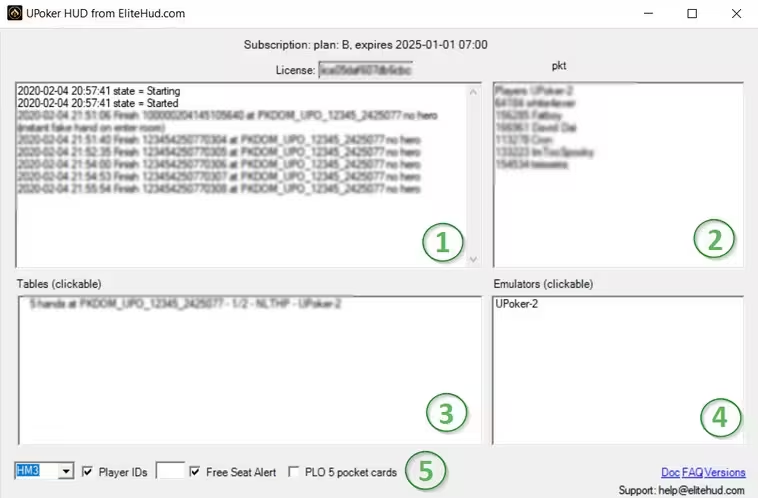
Emulators, multi-tabling and Free Seat Alert
01
Android emulators
EliteHUD documents LDPlayer 9, LDPlayer 4 and NoxPlayer Android 7. Exact compatibility depends on the poker app and its current release.
02
Table limits still apply
EliteHUD does not override an app’s table limit. The number of tables you can run also depends on your CPU, RAM, graphics hardware and tracker performance.
03
PPPoker Windows setup
PPPoker multi-tabling is listed for its Windows client. With an emulator, EliteHUD’s current guidance calls for one emulator instance per table.
04
Seat alerts
Free Seat Alert is listed for selected platforms including X-Poker, WePoker, FishPoker, HHPoker, PokerKingAsia and DPZX.
Plans, pricing and the free trial
One EliteHUD account can access multiple products, depending on the subscription plan. The official FAQ lists the prices below; check your dashboard for available plans and current pricing.
| Plan | 1 month | 3 months | 6 months | Best fit |
|---|---|---|---|---|
| Plan A | $29 | $78 | $139 | Selected lower-stakes Asian apps |
| Plan E | $39 | $105 | $187 | Core poker apps covered in this guide |
| Plan B | $49 | $132 | $235 | All stakes across most apps |
| Plan G | $99 | $267 | $475 | Broadest app and stake coverage |
EliteHUD advertises a free trial so you can test it with your setup. Ask HotPokerDeals for the current duration and conditions.
How to set up EliteHUD
01
Create an account
Register on the official EliteHUD website, then find your license and account details in the dashboard.
02
Choose the app module
Download the EliteHUD component for your poker app and the device or emulator you plan to use.
03
Connect your tracker
Install HM3, PT4, Hand2Note or another supported tracker, then follow your app’s hand-import instructions.
04
Test before a full session
Test hand-history imports before relying on the database for regular study.
Keep your setup working: Keep the poker client, converter, tracker and emulator on supported versions. Repeat an import test after an app update.
Pros and limitations
Why players use it
- Broad coverage across mobile poker apps
- Works with HM2, HM3, PokerTracker 4 and Hand2Note
- Strong PLO5/PLO6 coverage on core platforms
- Windows clients and emulators for selected apps
- One subscription can cover several poker platforms
- Free trial available through the official service
What to keep in mind
- It is not a poker tracker by itself
- Features vary by platform, plan and device
- Emulator setups can use significant PC resources
- MTT and Free Seat Alert support is not universal
- App updates can temporarily affect compatibility
- Technical compatibility does not mean live HUDs are permitted
Check the poker app’s software rules
EliteHUD’s compatibility table lists what its modules can process. It does not establish whether a poker app permits a live third-party HUD, statistical overlay, hand grabber or tracker. CoinPoker currently restricts third-party HUDs and tracking overlays during play. PokerBROS and Suprema Poker also publish rules that may limit third-party software. Follow the room’s current policy and contact support if it is unclear.
During play vs. after a session: Analyzing hands after a session may be subject to different rules from displaying real-time information about opponents during a game.
EliteHUD FAQ
Is EliteHUD a poker tracker?
No. EliteHUD captures and converts supported hand histories so another tracker can import and analyze them.
Does EliteHUD support ClubGG, PokerBROS and PPPoker?
Yes. The official compatibility table lists all three, along with Suprema Poker, X-Poker and QQPoker. Features and supported devices vary by app.
Does EliteHUD support HM3, PT4 and Hand2Note 4?
Yes. EliteHUD lists compatibility with HM2, HM3, PokerTracker 4, Hand2Note 3, Hand2Note 4 and PokeIt.
Does EliteHUD support PLO5 and PLO6?
Yes. EliteHUD lists PLO5/6 support for many apps, including the main HotPokerDeals club platforms. Check the table for your specific app module.
Can I use a HUD while playing?
Only if the poker platform’s current rules permit that tool and how you intend to use it. EliteHUD’s compatibility listing does not authorize live HUD use.
Is there a free trial?
EliteHUD advertises a free trial. Ask HotPokerDeals for the current duration and terms before starting.
Is EliteHUD right for your setup?
EliteHUD is most useful if you play on several supported mobile apps and already use a tracker to review sessions. Check the official compatibility table, follow the room’s software rules and test your setup before a full session.
Use third-party software only where the poker app or poker room permits it. The player is fully responsible for its use. HotPokerDeals strongly encourages all players to follow the rules of the poker apps and poker rooms they use and not to violate their terms or software policies.