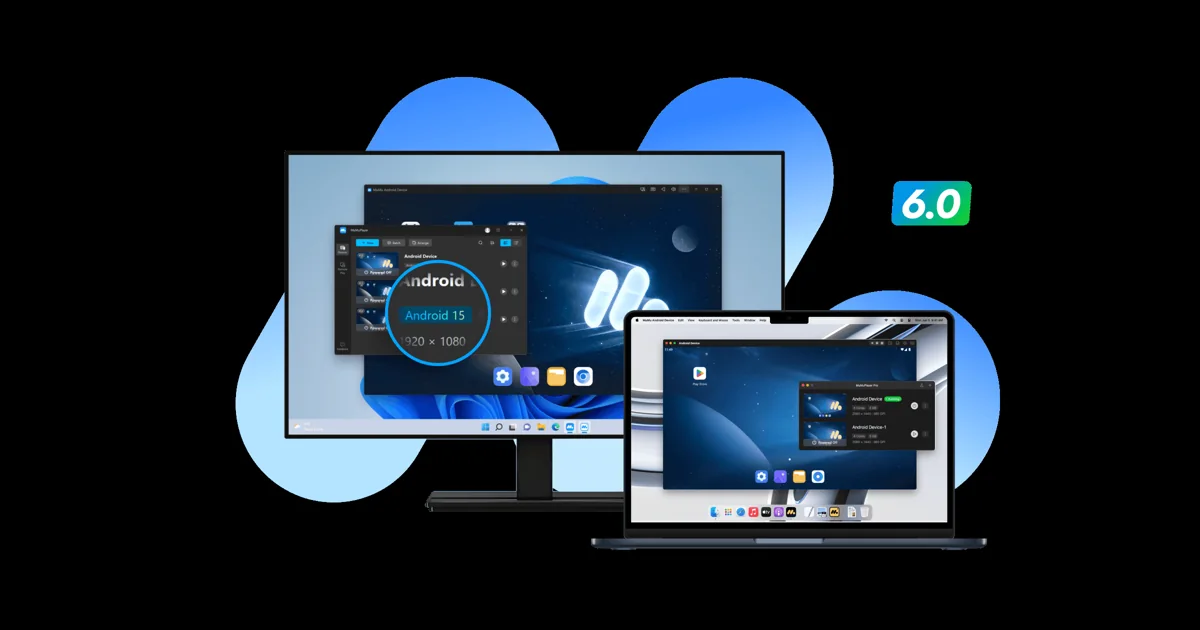
Android emulators for poker apps 2026: play PokerBros, PPPoker and ClubGG on PC with a HUD
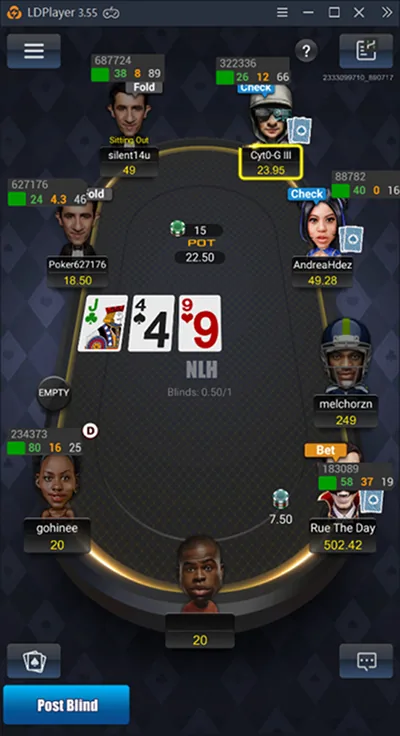
Most club poker apps were built for phones. PokerBros, PPPoker, Suprema, X-Poker and many others have no Windows client, or only a limited one, so players who want a big screen, several tables and a HUD run them in an Android emulator: a Windows program that behaves like a phone on your PC.
The emulator you pick matters more than you might think. HUD tools such as Hand2Note, the DriveHUD Asian Hand Converter and EliteHUD each support specific emulators and Android versions, and some apps work only with one of them. This guide collects what those tools document, plus what the emulator makers themselves publish, so you can set up once and get it right.
Sources: the official sites of BlueStacks, MuMuPlayer, NoxPlayer and MEmu, and the manuals of Hand2Note, DriveHUD and EliteHUD, checked in November 2026.
On this page: why use an emulator, HUD support by tool, emulator picker, LDPlayer, BlueStacks, MuMuPlayer, NoxPlayer and MEmu, PC check, setup steps, rules and FAQ.
Why poker players use Android emulators
A phone app on a PC screen.
An emulator gives a mobile poker app a full-size window, keyboard and mouse, and the power of your PC. You can open several instances side by side, one per table, which is how most club regulars multi-table on apps that have no desktop version.
The bigger reason is tracking. HUD software runs on Windows, reads the hands played inside the emulator and draws statistics over each player’s seat. Without an emulator, most of these apps cannot be tracked at all.

Bigger screen
Read bet sizes and timers without squinting at a phone.
Multi-tabling
One emulator instance per table.
HUD and tracker
Hand2Note, DriveHUD, Holdem Manager or PokerTracker via converters.
No phone battery drain
Long sessions run on mains power.
Which emulators each HUD tool supports
Match the emulator to your tracker first.
| HUD tool | Emulators |
|---|---|
| Hand2Note | LDPlayer (recommended) or Nox. PokerBros, Suprema, PokerKing Asia: LDPlayer 4, 5 or 9; PPPoker, KKPoker, AAPoker, PokerNex, WePoker: LDPlayer 9; Pokerrrr2 only on LDPlayer 9 |
| DriveHUD converter | LDPlayer 4, 5 and 9; BlueStacks 4 and 5; Nox. LDPlayer 4 and 5 on Android 7.1 (32 or 64-bit), LDPlayer 9 on Android 9 (64-bit); BlueStacks Nougat 32, Nougat 64 or Pie 64; Nox on Android 7 |
| EliteHUD | LDPlayer 9, LDPlayer 4, NoxPlayer (Android 7). Support differs by app; the guidance is one emulator instance per table |
LDPlayer is the one emulator all three tools support, and it is the safest default. BlueStacks is listed only by the DriveHUD converter. MuMuPlayer and MEmu are popular for games but are not listed by any of these HUD tools, so use them only to play without a HUD. Full details are in our Hand2Note, Asian Hand Converter and EliteHUD reviews.
Find the right emulator in ten seconds
Pick your HUD tool and app.
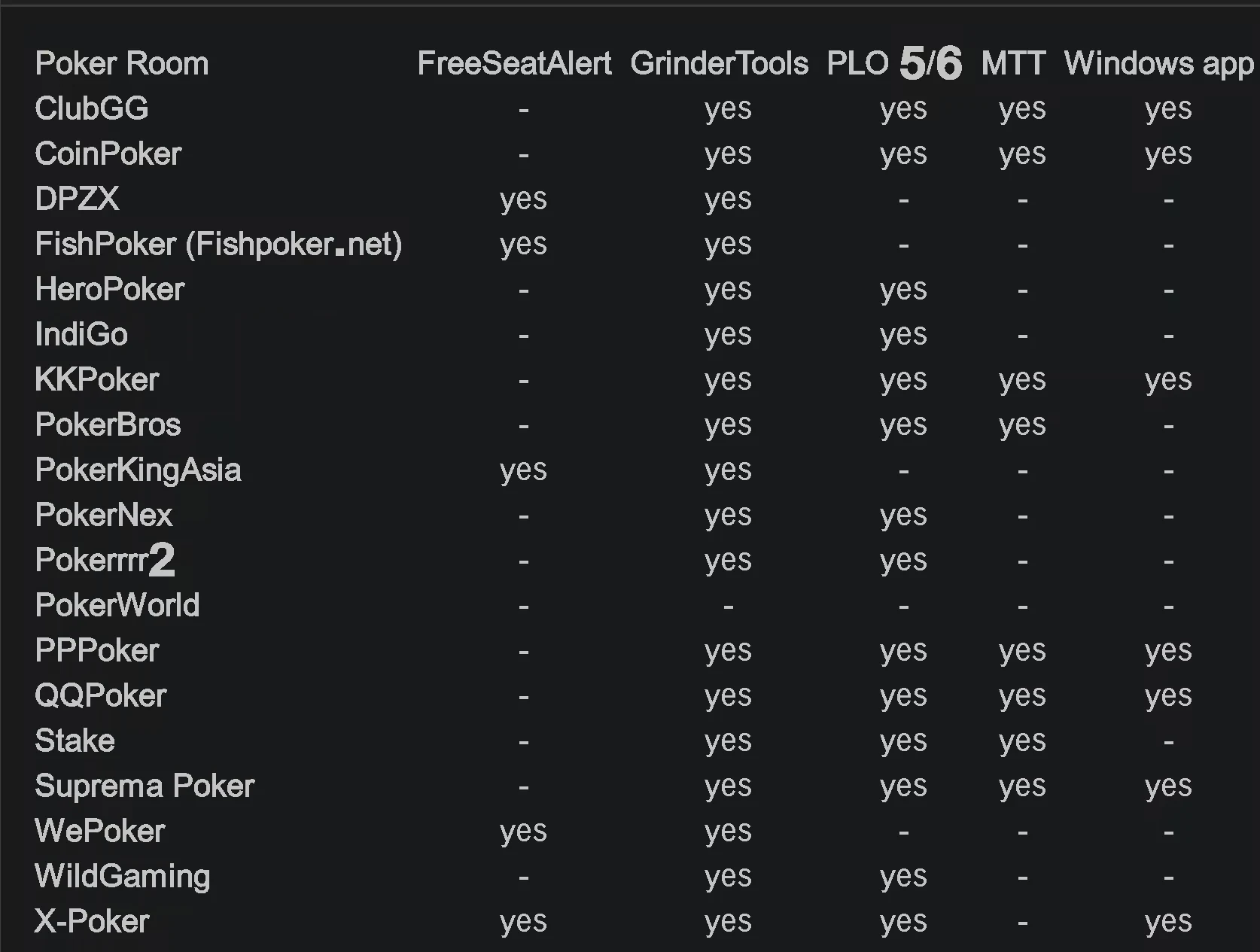
LDPlayer: the emulator HUD tools agree on
Versions 4, 5 and 9.
LDPlayer comes in several versions that run different Android builds, and the HUD tools care about which one you install. According to the DriveHUD documentation, LDPlayer 4 and 5 run Android 7.1 in 32 or 64-bit, while LDPlayer 9 runs Android 9 in 64-bit. Hand2Note recommends LDPlayer, and some apps, such as Pokerrrr2, PPPoker and KKPoker, work with its HUD only on LDPlayer 9.
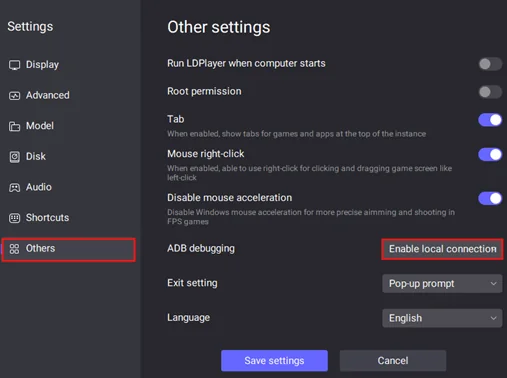
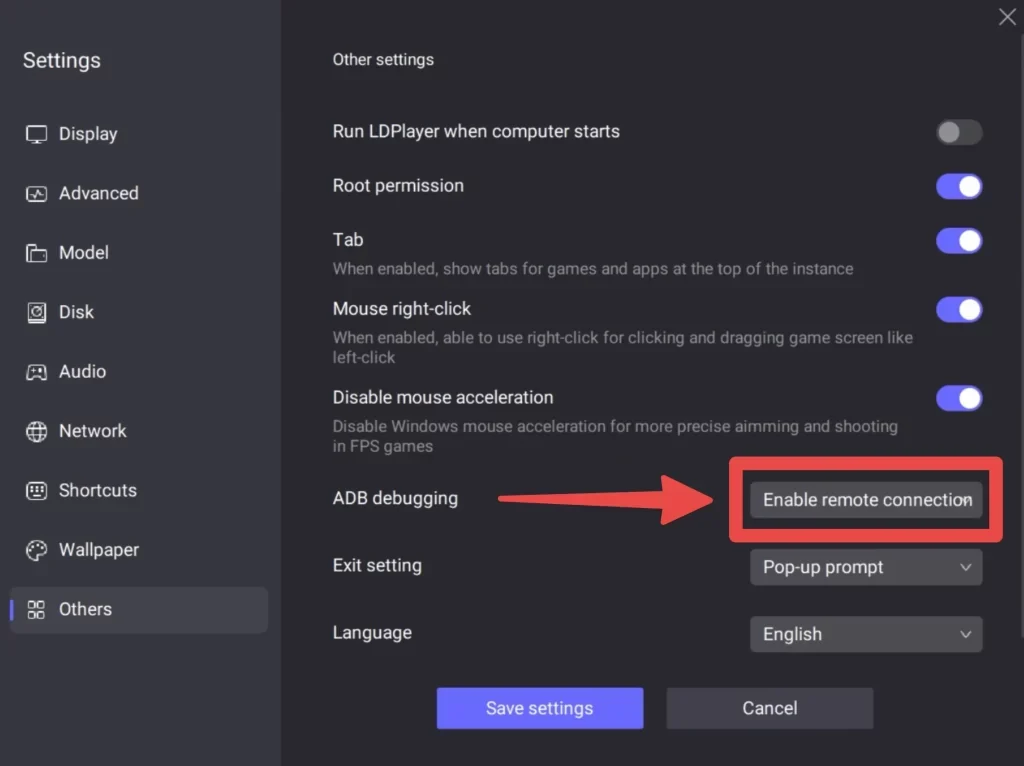
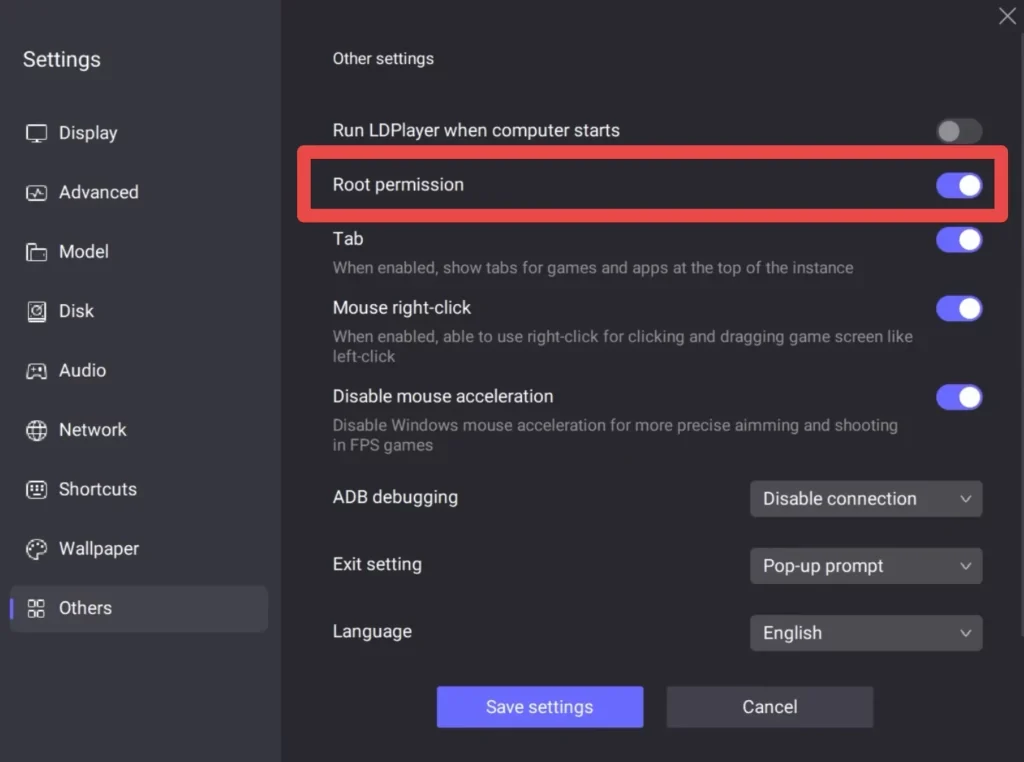
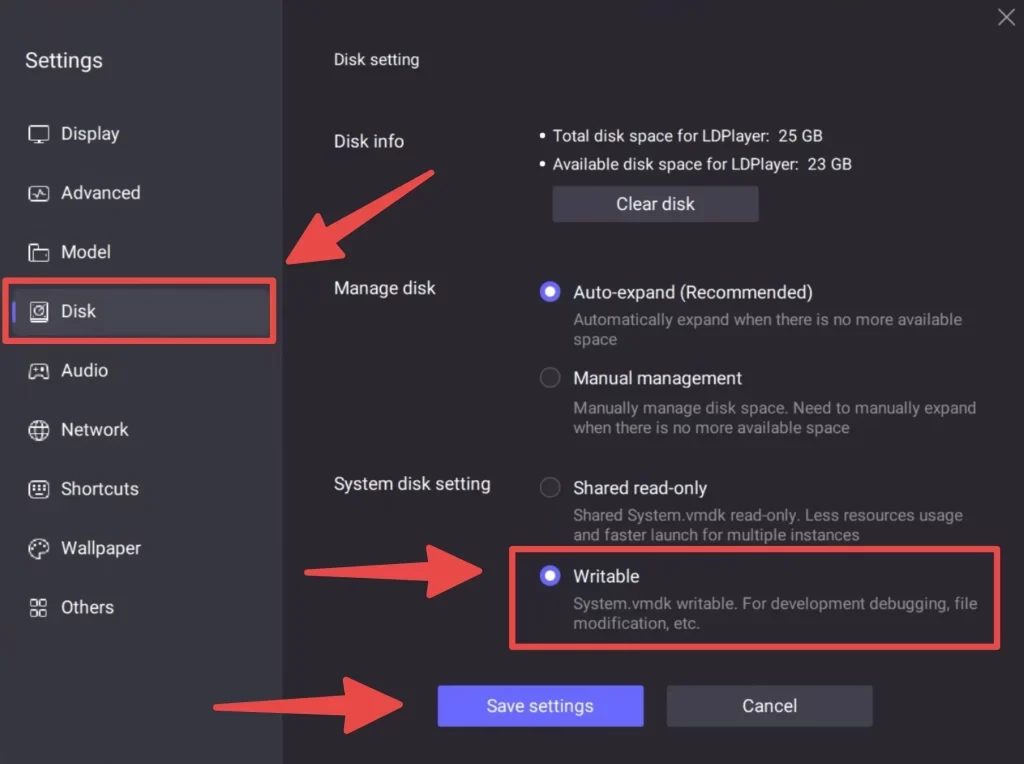
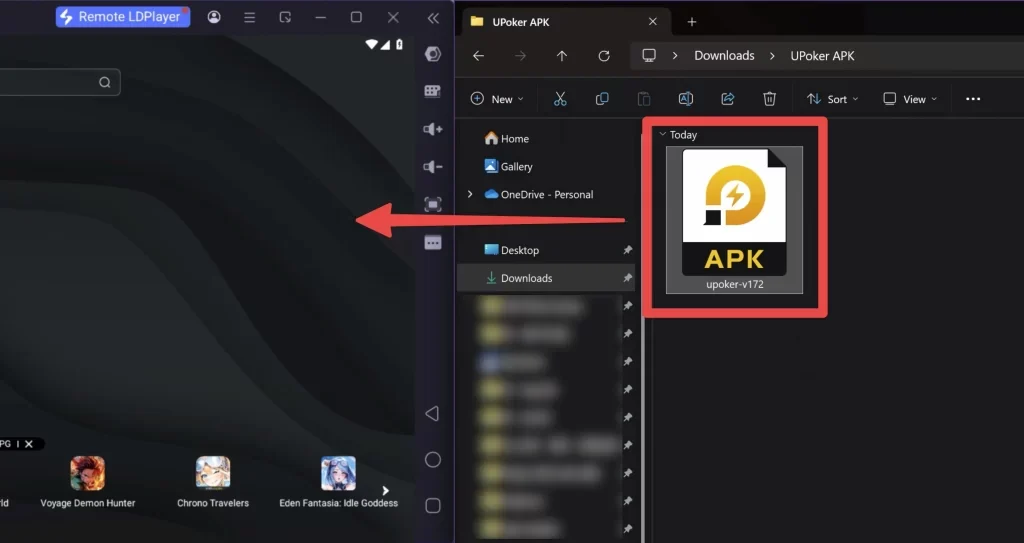
The DriveHUD setup guide changes three things in LDPlayer 9 settings: ADB debugging set to enable remote connection, root permission switched on and the system disk made writable. On LDPlayer 4, Hand2Note asks you to set ADB debugging to open local connection. Download LDPlayer only from its official site, ldplayer.net.
BlueStacks
The best-known emulator, supported by DriveHUD.
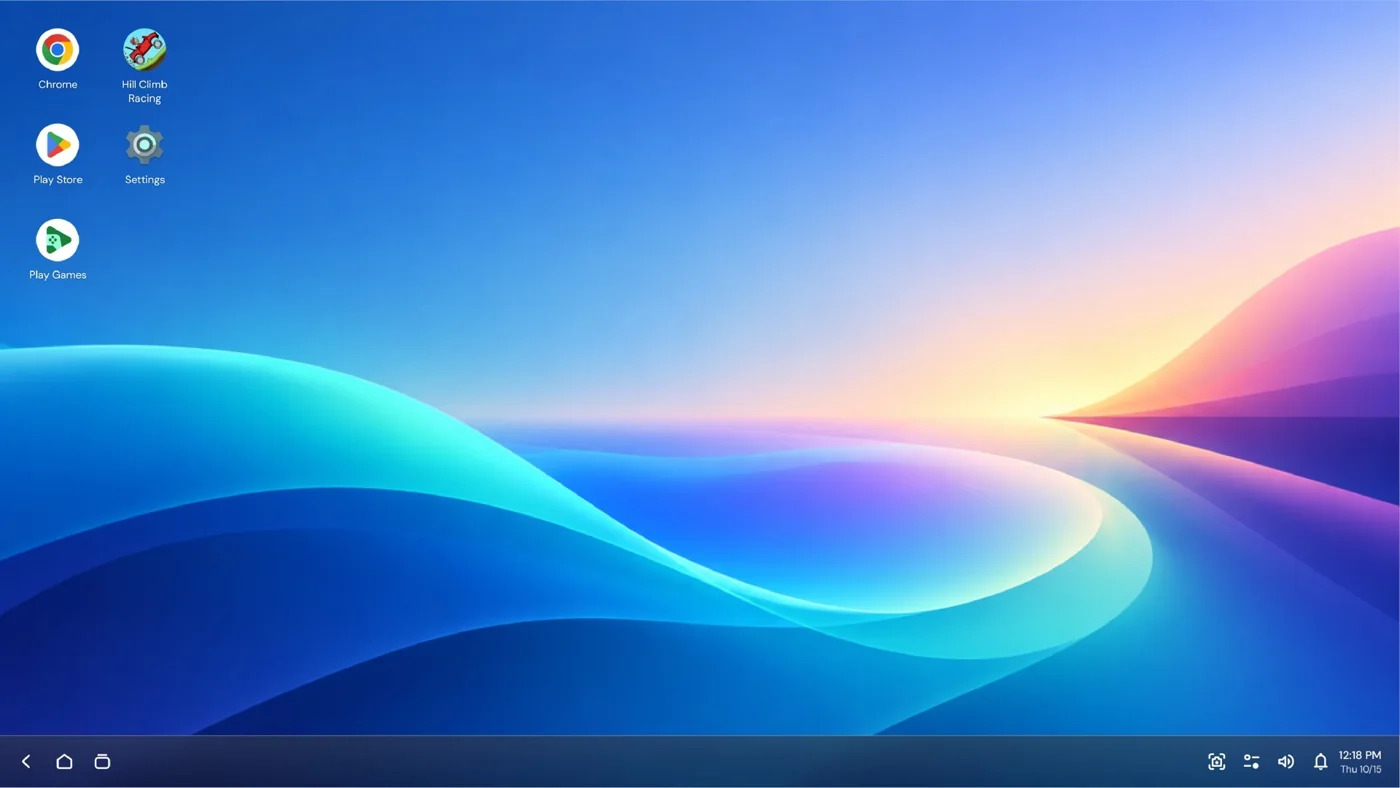
BlueStacks runs Android games and apps on Windows and Mac and offers keyboard and mouse controls, multi-instance and high frame rates. The current download is BlueStacks 5, and on 4 November 2026 BlueStacks announced BlueStacks 16 as the first Android 16 emulator for PC. Its homepage lists 8 GB of RAM or more.
For poker, the DriveHUD Asian Hand Converter supports BlueStacks 4 and 5 on the Nougat 32, Nougat 64 and Pie 64 instances, and its settings include a Patch BlueStacks button for default installs. Hand2Note and EliteHUD do not list BlueStacks.
MuMuPlayer
Android 15 on Windows, Windows on ARM and macOS.
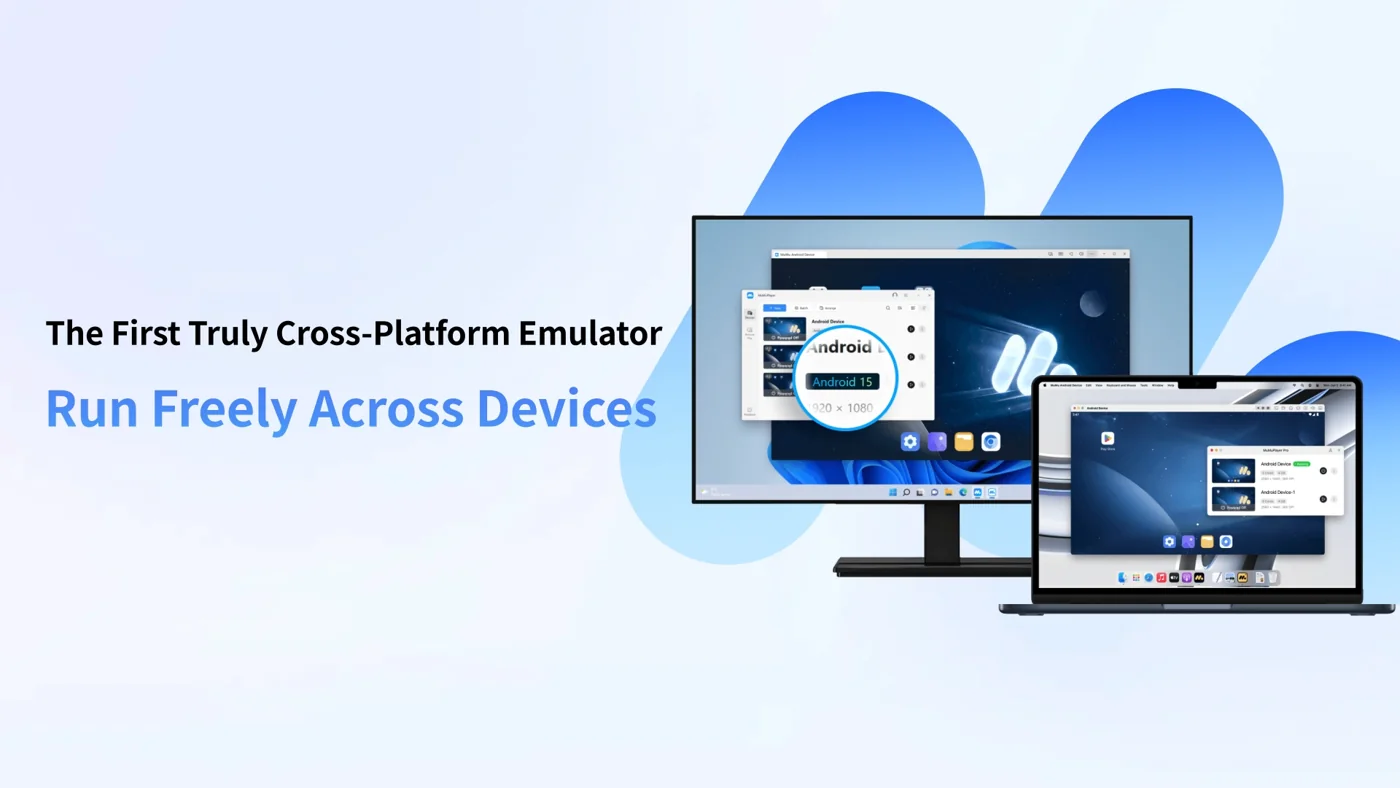
MuMuPlayer, from NetEase, was first with Android 15 and runs on Windows, Windows on ARM (beta) and macOS. It promises a three-second launch, unlimited instances with Android 15 and Android 12 side by side, and up to 480 FPS in 4K.
Its recommended setup is Windows 7 or later with DirectX 11 or OpenGL 4, a 4-core CPU at i5-7500 level or better with virtualisation (VT) enabled, a GTX 950 or better, 4 GB of RAM and about 2 GB of free disk space. MuMuPlayer is a good way to play poker apps on a Mac, but none of the HUD tools above list it.
NoxPlayer and MEmu
Older favourites.
NoxPlayer
Android 9 and an Android 12 beta, Mac and 64-bit builds. The latest Windows version on its site is 7.0.6.1 from August 2024. Supported on Android 7 by Hand2Note, DriveHUD and EliteHUD.
MEmu
Version 9.5.8 from 21 October 2026, free with adverts or a MEmuPro subscription, multi-instance and key mapping. Not listed by the HUD tools above.
If you already use Nox for a HUD, keep it on the Android 7 instance the tools document. For a new setup, LDPlayer 9 has the widest support.
Will your PC cope?
Compare your machine with the published requirements.
Setting up an emulator for a poker HUD
The steps the tool makers describe.
1. Install the right version
Download the emulator version your HUD tool lists, from the official site.
2. Change emulator settings
For LDPlayer 9 with DriveHUD: ADB remote connection, root on, writable system disk.
3. Install the poker app
Install the APK or use the Play Store inside the emulator.
4. Start the HUD tool first
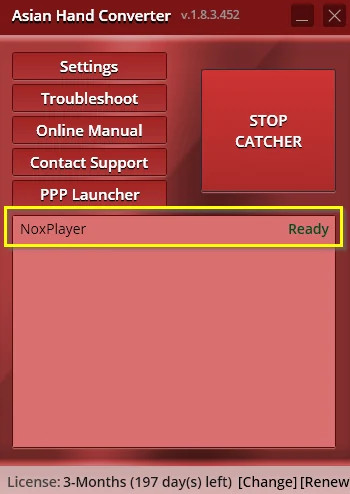
Hand2Note connects to the emulator; the Asian Hand Converter waits for Ready after Start Catcher.
5. Open the app and play
Log in; the HUD appears over each seat. Restart the emulator once if it does not.
6. Add tables
One instance per table; open and arrange them one by one.
Change one thing at a time when something fails: app, emulator and tracker updates all at once make problems hard to trace. Hand2Note adds that you may need to restart the emulators after the first launch before the HUD shows.
Rules: check before you add a HUD
An emulator does not change the rules.
Poker apps and clubs set their own rules on emulators, HUDs and third-party tools. Some tables are marked as restricted on PC, and some clubs ban trackers entirely. Running an app in an emulator, behind a VPN or under another database label does not make a banned tool allowed, and accounts can be closed for breaking the terms.
Ask your club agent or the app’s support what is allowed before installing anything. Our PokerBros and PPPoker guides cover each app, and mobile poker clubs lists the rest.
Android emulator FAQ: best choice, Mac, RAM and rules
What is the best Android emulator for poker?
LDPlayer 9 is the safest choice: Hand2Note recommends LDPlayer, and the DriveHUD Asian Hand Converter and EliteHUD support it too.
Can I play PokerBros on PC?
Yes, in an Android emulator such as LDPlayer. Hand2Note supports PokerBros on LDPlayer 4, 5 and 9. Some tables may be restricted on PC.
Does BlueStacks work with poker HUDs?
The DriveHUD Asian Hand Converter supports BlueStacks 4 and 5. Hand2Note and EliteHUD do not list it.
Which emulator works on Mac?
MuMuPlayer and BlueStacks have Mac versions, and NoxPlayer offers a Mac build. HUD tools for apps in emulators need Windows.
Do I need LDPlayer 9 or LDPlayer 4?
Check your app: PPPoker, KKPoker and Pokerrrr2 need LDPlayer 9 for the Hand2Note HUD. LDPlayer 9 also works with DriveHUD and EliteHUD.
How much RAM do I need?
MuMuPlayer recommends 4 GB and BlueStacks lists 8 GB or more. Add more for several tables plus a tracker.
Is using an emulator allowed?
It depends on the app and club. Check their rules before you play, especially before adding a HUD.
Can I multi-table with emulators?
Yes, with one emulator instance per table, as EliteHUD advises.
Pick your HUD, then your emulator
Start from the tracker you want to use, install the emulator version it supports and test on one table first. We update this page when the tools change their support lists.
More in poker software. Questions about a setup? Write to HPD support on Telegram.
Emulators and HUDs are third-party software. Follow each app’s and club’s rules.