ClubGG October 2026 update adds Screen Guard, Action Voice and country flags
What changed on October 21
ClubGG’s October 21 update added four new features and reworked several screens for club owners and players. Cucurucho, the new game mode from Brazil, came in the same update.
The other new features are Screen Guard for the PC client, Action Voice, and a Change Flag option in the redesigned Me menu. ClubGG also cut the all-in sit out timer from 15 to 5 minutes and rebuilt the Union Backoffice.
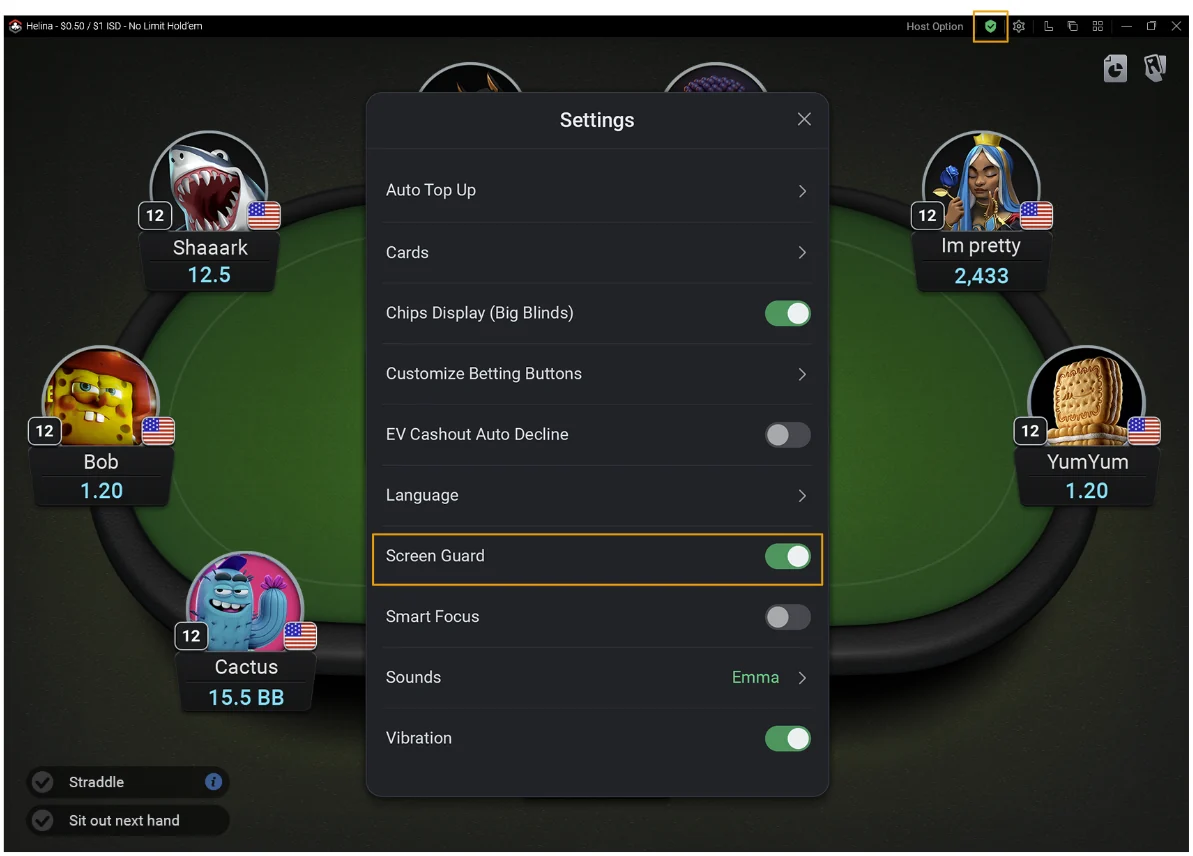
Screen Guard on the PC client
Blocks screenshots and screen recordings of your tables.
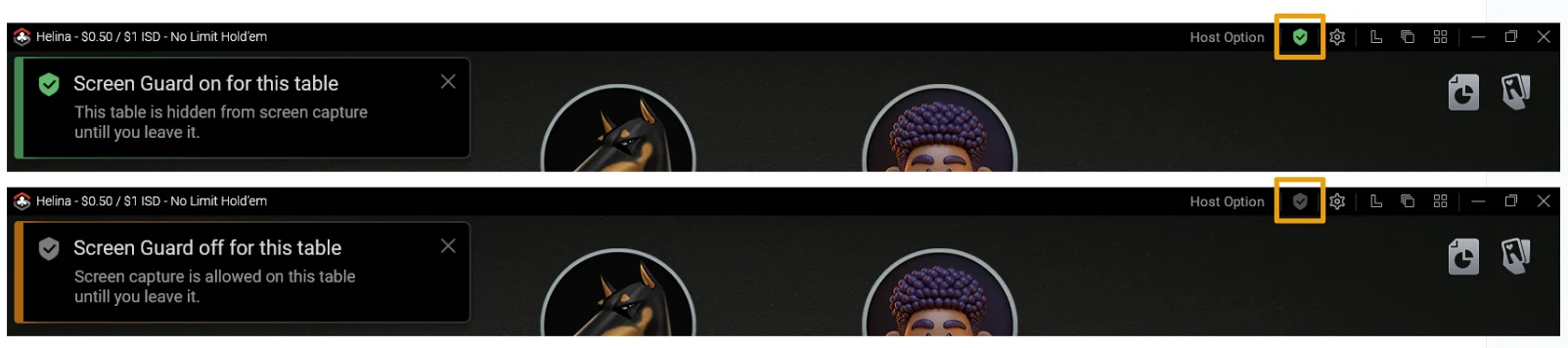
With Screen Guard on, protected game tables do not appear in screenshots or screen recordings. It covers all game tables by default, and you can switch it on or off for single tables. The “Protect the whole client” option extends it to the lobby and to web pages opened inside the client.
A shield icon at the top of each table shows whether protection is on. You find the switch under Settings, Screen Guard.
Action Voice and country flags
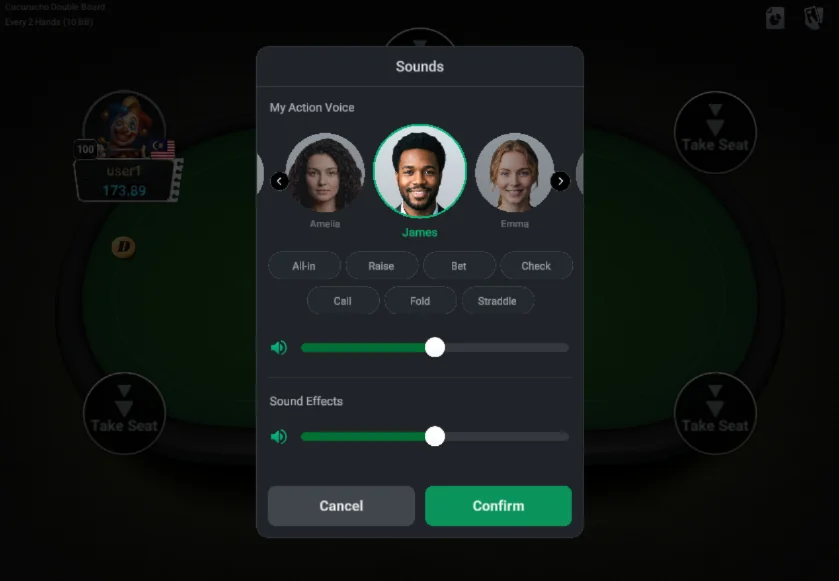
Action Voice lets you pick a voice for seven actions, including All-in, Raise, Bet and Check. Everyone at the table hears the voice you chose, and you hear theirs. The setting is under Settings, Sounds, My Action Voice.
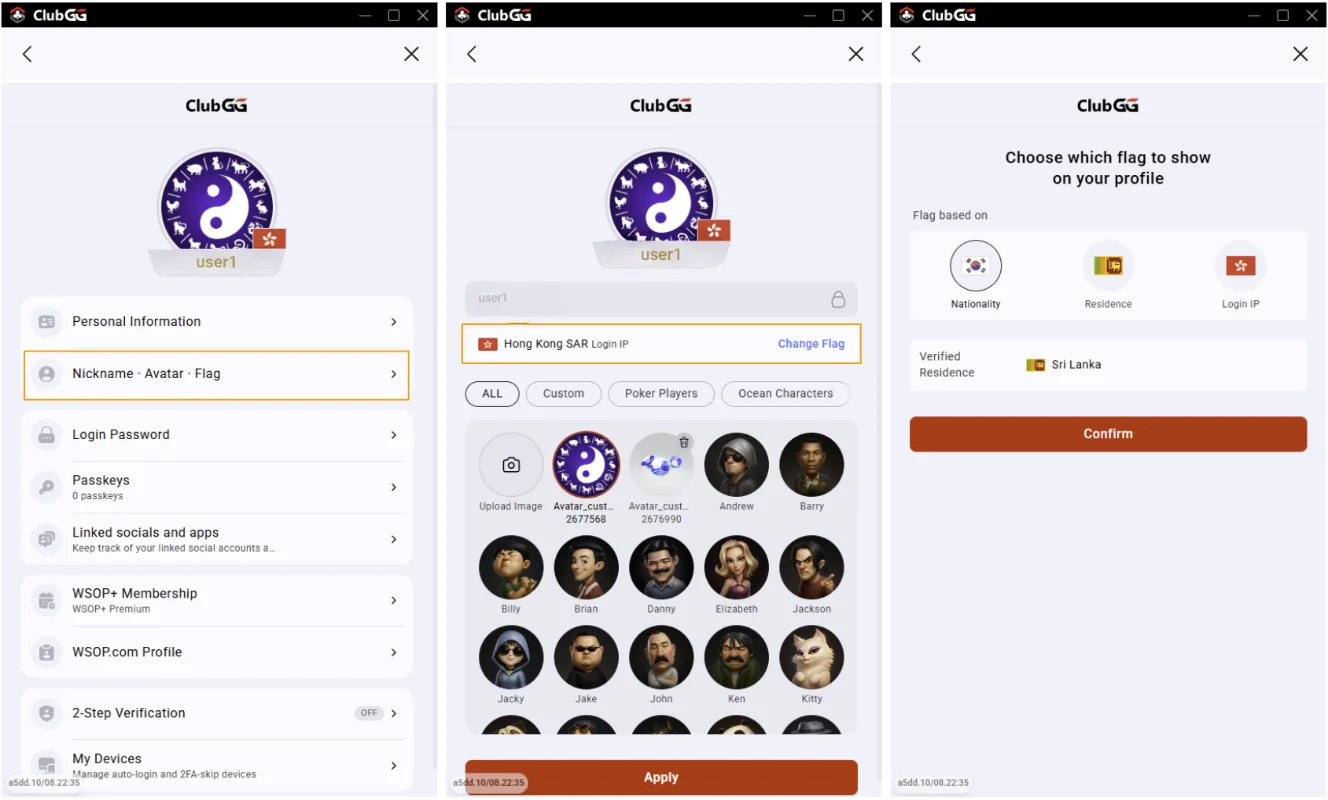
In the Me menu, My Account is now My GGPass. Its new Change Flag option sets the country flag shown next to your avatar. You can choose the flag of your registered nationality, your registered country of residence, or the country of your current login IP.
Changes at the club tables
| Change | What is new |
|---|---|
| All-in sit out timer | Cut from 15 to 5 minutes. ClubGG says it may adjust this again after player feedback. |
| Create New Table | Redesigned screen. Required settings come first, extra settings sit under Advanced Options and Table Policies. Existing settings and rules stay the same. |
| Club Lobby | Club notices can be longer, and players can expand or collapse them. |
| Tournament Clock | Shows key tournament progress in the clock and uses the same layout across GG brands. |
| Chat | You can collapse the emoji list to see more messages. |
The all-in sit out timer is the grace period a player gets to come back to the table after going all in. Our Cucurucho post covers the new game mode from the same update.
Union Backoffice
ClubGG redesigned the Union Backoffice and aligned its table and tournament setup with the new client screens. The new version opens at the usual address, union.clubgg.com, and the old version stays available at union2.clubgg.com.
Xsolla payments for the Union Backoffice have ended, and NPay is now the only payment method there. ClubGG says existing Xsolla subscribers will get refunds and need a new NPay subscription to keep the service. Payments for Memberships, Club Levels and Diamonds are not affected.
ClubGG on HotPokerDeals
Our ClubGG guide explains how the app, clubs and unions work.
18+. App features and local access can change. Follow the laws and regulations that apply where you live.